
Comprobando el requisito de edad de este juego…
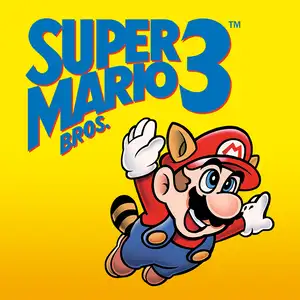
Super Mario Bros.3
Sobre este juego
Super Mario Bros.3 is a landmark 2D side-scrolling platform game developed by Nintendo’s Shigeru Miyamoto team, released for Famicom/NES in 1988. Bowser’s seven children, the Koopalings, steal magic wands from seven kingdoms across the Mushroom World and transform the kings into animals. Mario and Luigi embark on a journey through eight themed worlds, defeat bosses to recover wands, and finally storm Bowser’s castle to rescue Princess Peach. The game introduced the world map system, allowing players to pick routes, visit Toad Houses for bonus items and battle wandering Hammer Bros. Items can be stored in inventory and carried between stages. It added many iconic power-ups: the Super Leaf turns Mario into Raccoon Mario with tail attack and temporary flight, plus Frog Suit for better underwater control, Tanooki Suit and Hammer Mario suit. It features varied traps, giant-size stages and airship levels, with 2-player alternating gameplay and massive secrets. With upgraded graphics, level design and soundtrack, it profoundly influenced later 2D platform games and is widely regarded as one of the greatest games on FC.
- Año de lanzamiento
- 1990
- Desarrolladora
- Jugadores
- 1 jugador
- Idiomas compatibles
- CN EN JP ES
Preguntas frecuentes
- ¿Cómo puedo jugar a Super Mario Bros.3?
- Puedes jugar a Super Mario Bros.3 en línea y gratis directamente en tu navegador en 8BitGo. No necesitas descargar nada ni instalar ningún emulador.
- ¿En qué plataforma es Super Mario Bros.3?
- El lanzamiento original de Super Mario Bros.3 fue para la plataforma NES (Famicom). En 8BitGo juegas directamente en el navegador sin configuración adicional.
- ¿Puedo guardar mi progreso en Super Mario Bros.3?
- Sí. La mayoría de los emuladores de 8BitGo admiten guardados rápidos, e iniciar sesión te permite sincronizar las partidas compatibles en la nube.
- ¿Funciona Super Mario Bros.3 en el móvil?
- Sí. 8BitGo se adapta a dispositivos táctiles, con controles en pantalla o soporte para mandos Bluetooth.
Controles
Estas son las teclas predeterminadas. Puedes cambiarlas con el icono de mando 🎮 de la barra inferior del reproductor. Si conectas un mando, se detecta solo. En el teléfono aparecen botones en pantalla.
1P
Cruceta
W S A D
A
K
B
J
Turbo A
I
Turbo B
U
Start
Enter
Select
L Shift
Guardado rápido
F2
Carga rápida
F4
2P
Cruceta
Teclado numérico 8 2 4 6
A
Teclado numérico 7
B
Teclado numérico 9
Start
Teclado numérico 1
Select
Teclado numérico 3
La NES siempre fue de dos jugadores: el 2P usa el teclado numérico y NumLock da igual. ¿Sin teclado numérico? Reasigna el 2P en el panel 🎮.
También te puede gustar
Misma plataforma, mismo género o de la misma desarrolladora
 NES
NESGomoku Narabe Renju
 HTML5
HTML5Taiko no Tatsujin:Web
 NDS
NDSPlants vs. Zombies
 FLASH
FLASHGold Miner
 FLASH
FLASHFireboy & Watergirl 4: In the Crystal Temple
 FLASH
FLASHFireboy & Watergirl 3: In the Ice Temple
 NDS
NDSPokémon SoulSilver
 NDS
NDS