
Comprobando el requisito de edad de este juego…
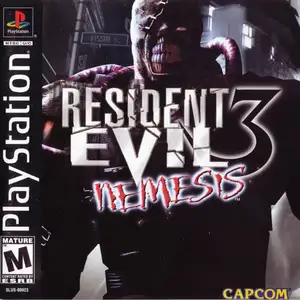
Resident Evil 3: Nemesis
Sobre este juego
Resident Evil 3: Nemesis (Japanese title Biohazard 3: Last Escape) is a classic survival horror game developed and published by Capcom, first released on PlayStation 1 in 1999. Its timeline runs parallel with Resident Evil 2. Jill Valentine, former S.T.A.R.S member, is trapped in Raccoon City overrun by the T-Virus. She must find a way to escape before the military nuclear strike annihilates the whole city. The iconic feature is Nemesis, a relentless bioweapon boss that chases the player across rooms and wields a rocket launcher, creating constant intense horror pressure. The game added dodge move and 180-degree quick turn. It keeps classic series mechanics: pre-rendered backgrounds, fixed camera angles, scarce resource management and puzzles. Different choices lead to alternate story events. After beating the main game, players unlock the mercenary mini-game Operation Mad Jackal and multiple costumes. Later ported to Dreamcast, PC and GameCube, it is a landmark survival horror title of the PS1 era.
- Año de lanzamiento
- 1990
- Desarrolladora
- Jugadores
- 1 jugador
- Idiomas compatibles
- 简体中文 · English
Preguntas frecuentes
- ¿Cómo puedo jugar a Resident Evil 3: Nemesis?
- Puedes jugar a Resident Evil 3: Nemesis en línea y gratis directamente en tu navegador en 8BitGo. No necesitas descargar nada ni instalar ningún emulador.
- ¿En qué plataforma es Resident Evil 3: Nemesis?
- 8BitGo clasifica esta versión como Sony PlayStation. Esto describe cómo se ejecuta aquí y puede diferir de la plataforma de lanzamiento original. Puedes jugar directamente en el navegador.
- ¿Puedo guardar mi progreso en Resident Evil 3: Nemesis?
- La posibilidad de guardar depende de cómo se ejecute el juego. El guardado rápido y en la nube solo está disponible si la barra del reproductor muestra un control de guardado; si no, usa el guardado propio del juego.
- ¿Funciona Resident Evil 3: Nemesis en el móvil?
- Depende del juego. Consulta los controles de esta página: los juegos con botones en pantalla funcionan con tacto, mientras que los de teclado y ratón se disfrutan mejor en un ordenador.
Controles
Estas son las teclas predeterminadas. Haz clic en el icono de mando 🎮 de la barra del reproductor y luego en «Reasignar teclas» para abrir la configuración de controles del emulador (teclado y mando, se guarda automáticamente). Si conectas un mando, se detecta solo. En el teléfono aparecen botones en pantalla.
Cruceta
W S A D
○
K
✕
J
△
I
□
U
L1
Q
R1
E
L2
Tab
R2
R
Stick izquierdo
T G F H
Stick derecho
↑ ↓ ← →
Start
Enter
Select
Shift
Guardado rápido
F2
Carga rápida
F4
También te puede gustar
Misma plataforma, mismo género o de la misma desarrolladora
 DOS
DOSAge of Empires
 NES
NESSuper Mario Bros.3
 NDS
NDSPlants vs. Zombies
 NES
NESCircus Charlie
 NES
NESGomoku Narabe Renju
 NDS
NDSGrand Theft Auto: Chinatown Wars
 GBA
GBAThe King of Fighters EX: Neo Blood
 ARCADE