
Checking this game’s age requirement…
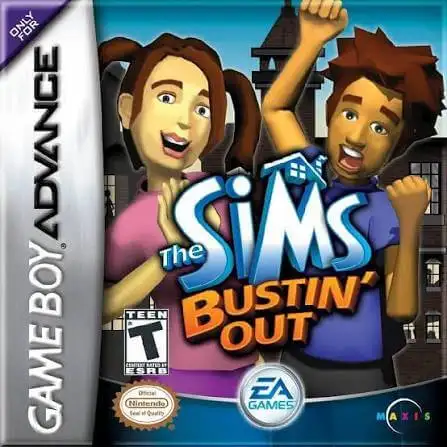
The Sims: Bustin' Out
About this game
The Sims: Bustin' Out is a classic life simulation game developed by Maxis and published by EA, released for the GBA handheld console in 2003. As a representative handheld work of The Sims franchise, it is perfectly optimized for Game Boy Advance, featuring exclusive story missions and level-based gameplay, different from the sandbox mode of the PC version, and remains a beloved nostalgic simulation game for retro game players. The game features a complete original storyline. Players start their life adventure from a rural farm and explore the vibrant SimValley town. It abandons the pure free sandbox gameplay and adds abundant mission systems and story levels, with more than 20 unique scenarios to unlock. Players can explore new maps, collect exclusive items and unlock rich gameplay content by completing storyline tasks. It inherits the classic core gameplay of The Sims series. Players can customize the appearance and personality of their Sims, maintain eight basic life needs including hunger, hygiene and mood. Earn coins through various part-time jobs and interesting mini-games, decorate houses with diverse furniture, make friends with various NPCs and improve social relationships to unlock hidden rewards and exclusive gameplay. Fully adapted for GBA handheld operation, the game simplifies complex PC controls and adopts handheld-friendly key operations. It adds exclusive auction systems, scene props and side quests, greatly enriching the game content. Smoothly playable on all kinds of GBA emulators without complicated installation, The Sims: Bustin' Out is one of the most classic and playable life simulation games on retro handheld devices.
- Release year
- 2003
- Developer
- Players
- Single player
- Supported languages
- 简体中文 · English · 日本語 · Français · Deutsch · Español · Italiano
FAQ
- How can I play The Sims: Bustin' Out?
- You can play The Sims: Bustin' Out online for free right in your browser on 8BitGo. No download or emulator installation is required.
- What platform is The Sims: Bustin' Out?
- 8BitGo classifies this version as Game Boy Advance. That describes how it runs here and may differ from the game's original release platform. You can play it directly in the browser.
- Can I save my progress in The Sims: Bustin' Out?
- Save support depends on how this game runs. Quick saves and cloud saves are available only when the player toolbar shows a save control; otherwise use the game's own save feature.
- Does The Sims: Bustin' Out work on mobile?
- It depends on the game. Check the controls on this page: games with on-screen buttons work on touch devices, while keyboard-and-mouse games are best played on desktop.
Controls
These are the default keys. Click the gamepad icon 🎮 in the player toolbar, then “Remap keys” to open the emulator’s own control settings (keyboard and gamepad, saved automatically). Gamepads are detected automatically. On phones you get on-screen buttons.
D-Pad
W S A D
A
K
B
J
L
Q
R
E
Start
Enter
Select
Shift
Quick save
F2
Quick load
F4
You might also like
Same platform, same genre, or from the same developer
 DOS
DOSSimCity 2000
 GBA
GBAPokémon FireRed
 GBA
GBAPokémon Emerald
 GBA
GBAPokémon Ruby
 GBA
GBAPokémon LeafGreen
 GBA
GBAGolden Sun
 GBA
GBAThe Urbz: Sims in the City
 GBA
GBA