

Checking this game’s age requirement…
Final Fantasy IV Advance
⋯
About this game
Final Fantasy IV Advance is an enhanced port of the classic SNES RPG Final Fantasy IV, developed by Tose and published by Square Enix for Game Boy Advance in 2005. It marks the debut of the ATB (Active Time Battle) system in the Final Fantasy franchise. The story follows Cecil, a Dark Knight who undergoes inner turmoil and transforms into a Paladin. Together with Kain, Rosa, Rydia and other companions, he fights against Golbez and uncovers secrets of the ancient lunar civilization. This GBA version upgrades character portraits, rearranges Nobuo Uematsu’s soundtrack, and revises the English script to restore cut content from the old US release. It adds a post-game bonus dungeon called Lunar Ruins, with unique character trials and ultimate equipment for every hero, plus several new summons for Rydia. The game also includes a monster bestiary and sound test, with quick save support.
Contributors
No contributors recorded yet.
💡 Guides
✎ Write a guideNo guides yet
You might also like
Same platform, same genre, or from the same developer
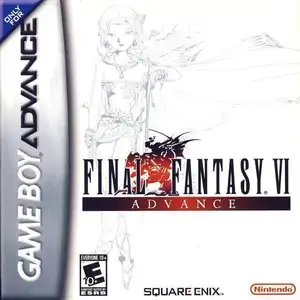 GBA
Final Fantasy VI Advance
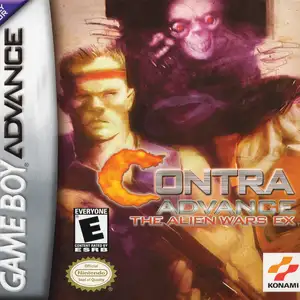 GBA
Contra Advance: The Alien Wars EX
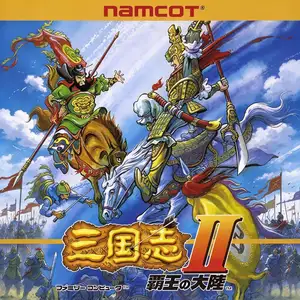 NES
Sangokushi II: Haou no Tairiku
 NES
Sangokushi: Chuugen no Hasha
 GBA
Pokémon FireRed
 GBA
Pokémon Emerald
 GBA
Pokémon Ruby
 GBA
Kirby: Nightmare in Dream Land
FAQ
- How can I play Final Fantasy IV Advance?
- You can play Final Fantasy IV Advance online for free right in your browser on 8BitGo. No download or emulator installation is required.
- What platform is Final Fantasy IV Advance?
- 8BitGo classifies this version as Game Boy Advance. That describes how it runs here and may differ from the game's original release platform. You can play it directly in the browser.
- Can I save my progress in Final Fantasy IV Advance?
- Save support depends on how this game runs. Quick saves and cloud saves are available only when the player toolbar shows a save control; otherwise use the game's own save feature.
- Does Final Fantasy IV Advance work on mobile?
- It depends on the game. Check the controls on this page: games with on-screen buttons work on touch devices, while keyboard-and-mouse games are best played on desktop.
Controls
These are the default keys. Click the gamepad icon 🎮 in the player toolbar, then “Remap keys” to open the emulator’s own control settings (keyboard and gamepad, saved automatically). Gamepads are detected automatically. On phones you get on-screen buttons.
1P
D-Pad
W S A D
A
K
B
J
L
Q
R
E
Start
Enter
Select
Shift
Quick save
F2
Quick load
F4
2P
D-Pad
Numpad 8 2 4 6
A
Numpad 7
B
Numpad 9
L
Numpad -
R
Numpad +
Start
Numpad 1
Select
Numpad 3
2P uses the numeric keypad with NumLock on; a second gamepad becomes 2P automatically. No numpad? Open 🎮 → Remap keys, switch to Player 2 and pick other keys.