
Checking this game’s age requirement…
About this game
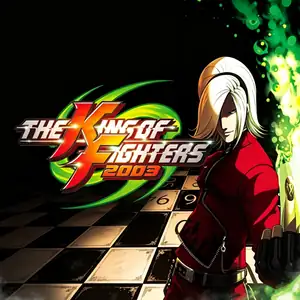
The King of Fighters 2003 released for Neo‑Geo arcades in 2003. It concludes the NESTS narrative and opens the Ash Crimson story arc. Striker assists are discarded entirely, replaced by a live‑tag team system: you may swap between your three‑member squad mid‑fight to execute switch‑combos, greatly accelerating combat tempo. New protagonist Ash Crimson debuts, kicking off the Tales of Ash saga. Mukai serves as the final boss. Visuals and character animations receive improvements. It stands as the final official KOF main‑title on Neo‑Geo hardware. A PlayStation 2 port exists and arcade content is accessible via Neo‑Geo emulators.
- Release year
- 2003
- Developer
- Players
- 2 players
- Supported languages
- English
FAQ
- How can I play The King of Fighters 2003?
- You can play The King of Fighters 2003 online for free right in your browser on 8BitGo. No download or emulator installation is required.
- What platform is The King of Fighters 2003?
- 8BitGo classifies this version as Arcade. That describes how it runs here and may differ from the game's original release platform. You can play it directly in the browser.
- Can I save my progress in The King of Fighters 2003?
- Save support depends on how this game runs. Quick saves and cloud saves are available only when the player toolbar shows a save control; otherwise use the game's own save feature.
- Does The King of Fighters 2003 work on mobile?
- It depends on the game. Check the controls on this page: games with on-screen buttons work on touch devices, while keyboard-and-mouse games are best played on desktop.
Controls
These are the default keys. Every arcade board has a different number of buttons and means different things by them. The rows above are buttons 1–6 on the board: on Neo Geo boards (The King of Fighters and friends) A/B/C/D are buttons 1–4, Metal Slug uses only 1, 2 and 4 (shoot / jump / grenade), and Pac-Man uses none at all. Six-button fighters with three punches and three kicks (Street Fighter II and the like) get a different layout from the core: light punch U, medium punch I, heavy punch Q, light kick J, medium kick K, heavy kick E. Click the gamepad icon 🎮 in the player toolbar, then “Remap keys” to open the emulator’s own control settings (keyboard and gamepad, saved automatically). Gamepads are detected automatically. On phones you get on-screen buttons.
D-Pad
W S A D
Button 1
J
Button 2
K
Button 3
U
Button 4
I
Button 5
E
Button 6
Q
Insert coin
V
Start
Enter
Quick save
F2
Quick load
F4
You might also like
Same platform, same genre, or from the same developer
The King of Fighters ’97
 ARCADE
King Of Fighters 2002
 ARCADE
Metal Slug 3
 ARCADE
The King of Fighters ’98
 ARCADE
Metal Slug: Super Vehicle-001
 ARCADE
The King of Fighters 2000
 ARCADE
The King of Fighters 2001
 ARCADE