Checking this game’s age requirement…
The Fancy Pants Adventure:World1
About this game
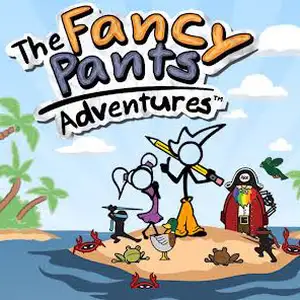
The Fancy Pants Adventure is a hand-drawn momentum-based 2D platformer Flash game created by indie developer Brad Borne, released in 2006 on Newgrounds. It is one of the most iconic Flash stickman games. Players control Fancy Pants Man, a stick figure wearing bright orange wide pants. The signature momentum physics system delivers fluid movement: sliding, slope running, wall sliding, wall jumps and aerial spins. Collect squiggles, stomp enemies and discover secret zones across hand-sketched worlds. World 1’s goal is to wake a giant penguin; World 2 chases a rabbit that stole ice cream; World 3 introduces Cutie Pants and pencil combat plus swimming mechanics. It features sketch notebook art style and original soundtrack. The original Flash release is English and playable with Ruffle emulator, a landmark Flash indie platformer.
- Release year
- 2006
- Developer
- Players
- Single player
- Supported languages
- English
FAQ
- How can I play The Fancy Pants Adventure:World1?
- You can play The Fancy Pants Adventure:World1 online for free right in your browser on 8BitGo. No download or emulator installation is required.
- What platform is The Fancy Pants Adventure:World1?
- 8BitGo classifies this version as Flash Web Games. That describes how it runs here and may differ from the game's original release platform. You can play it directly in the browser.
- Can I save my progress in The Fancy Pants Adventure:World1?
- Save support depends on how this game runs. Quick saves and cloud saves are available only when the player toolbar shows a save control; otherwise use the game's own save feature.
- Does The Fancy Pants Adventure:World1 work on mobile?
- It depends on the game. Check the controls on this page: games with on-screen buttons work on touch devices, while keyboard-and-mouse games are best played on desktop.
Controls
These games get the keyboard directly — the controls are whatever the game itself defines, usually in its own help or options screen. Some games show on-screen buttons on phones.
Quick save
F2
Quick load
F4
You might also like
Same platform, same genre, or from the same developer