
Checking this game’s age requirement…
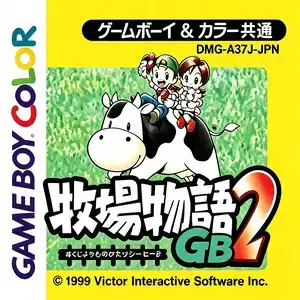
Harvest Moon 2 GBC
About this game
Bokujou Monogatari GB2 (Harvest Moon 2 GBC) is a farming life simulation developed by TOSE and published by Pack-In-Soft, released August 6, 1999 for Game Boy Color, backward compatible with original Game Boy. It is the direct sequel to Bokujou Monogatari GB. The story takes place in Hanamura Village. The village plans to demolish the abandoned farm for an amusement park. The player makes a deal with the mayor to restore the farm within three years. Players pick male or female protagonist and choose a cat or dog pet. Core gameplay includes land clearing, seasonal crop farming, greenhouse flower and herb cultivation. Sheep are newly added alongside cows and chickens; livestock can be pastured outdoors. New village and mountain maps unlock fishing and bug catching, plus seasonal festivals, villager friendship and marriage events. Tool carrying capacity is improved. Link cable multiplayer enables item trades of seeds, fish and insects, and cross-game data exchange with *Kawa no Nushi Tsuri 4*. Working outdoors in rain or snow may cause sickness. Original release is Japanese, with overseas English version. Fan translated ROMs circulate domestically and playable on GBC flash carts or emulators, a beloved cozy farming sim of the late 90s handheld era.
- Release year
- 1999
- Developer
- Players
- Single player
- Supported languages
- 简体中文
FAQ
- How can I play Harvest Moon 2 GBC?
- You can play Harvest Moon 2 GBC online for free right in your browser on 8BitGo. No download or emulator installation is required.
- What platform is Harvest Moon 2 GBC?
- 8BitGo classifies this version as Game Boy Color. That describes how it runs here and may differ from the game's original release platform. You can play it directly in the browser.
- Can I save my progress in Harvest Moon 2 GBC?
- Save support depends on how this game runs. Quick saves and cloud saves are available only when the player toolbar shows a save control; otherwise use the game's own save feature.
- Does Harvest Moon 2 GBC work on mobile?
- It depends on the game. Check the controls on this page: games with on-screen buttons work on touch devices, while keyboard-and-mouse games are best played on desktop.
Controls
These are the default keys. Click the gamepad icon 🎮 in the player toolbar, then “Remap keys” to open the emulator’s own control settings (keyboard and gamepad, saved automatically). Gamepads are detected automatically. On phones you get on-screen buttons.
D-Pad
W S A D
A
K
B
J
Start
Enter
Select
Shift
Quick save
F2
Quick load
F4
You might also like
Same platform, same genre, or from the same developer
 GBA
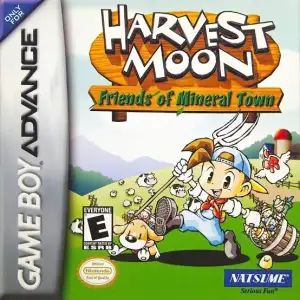
GBAHarvest Moon: Friends of Mineral Town
 GBC
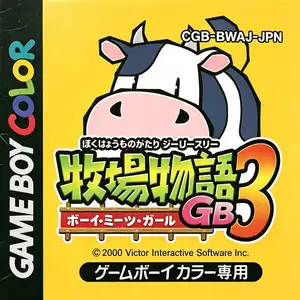
GBCHarvest Moon 3 GBC
 GBC
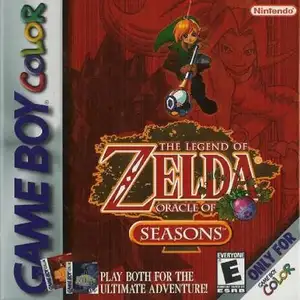
GBCThe Legend of Zelda: Oracle of Seasons
 GBC
GBCPokémon Gold Version
 GBC
GBCPokémon Crystal Version
 GBC
GBCPokémon Silver Version
 GBC
GBC