Checking this game’s age requirement…
SAS: Zombie Assault 3
About this game
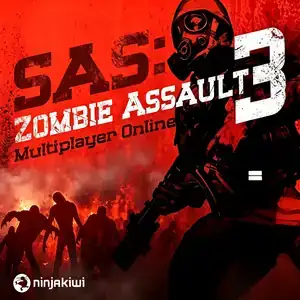
SAS: Zombie Assault 3 is a top-down zombie survival shooter Flash game developed by Ninja Kiwi, the studio behind Bloons TD. It is the most popular entry of the SAS Zombie Assault series and was widely played on Kongregate, Newgrounds and Chinese Flash game portals. In a zombie apocalypse setting, players take the role of elite SAS soldiers to survive infected zones. It uses top-down twin-stick style controls: WASD to move, mouse to aim and shoot. Three game modes are available: Onslaught, Purge and Apocalypse. There are five maps set in airports, labs and ruined towns. Players can deploy barricades, sentry guns, grenades and traps to hold back hordes of undead. Its standout feature is 4-player online co-op; revive downed teammates and fight waves together. A 50-rank progression system unlocks 44 weapons including shotguns, machine guns, flamethrowers and RPGs. Nine different zombie types exist, including fast runners, heavy brutes and explosive zombies. The original English Flash version supports cloud save, playable via Ruffle Flash emulator. It is one of the most iconic multiplayer zombie shooters of the Flash era.
- Release year
- 1990
- Developer
- Players
- Single player
- Supported languages
- English
FAQ
- How can I play SAS: Zombie Assault 3?
- You can play SAS: Zombie Assault 3 online for free right in your browser on 8BitGo. No download or emulator installation is required.
- What platform is SAS: Zombie Assault 3?
- 8BitGo classifies this version as Flash Web Games. That describes how it runs here and may differ from the game's original release platform. You can play it directly in the browser.
- Can I save my progress in SAS: Zombie Assault 3?
- Save support depends on how this game runs. Quick saves and cloud saves are available only when the player toolbar shows a save control; otherwise use the game's own save feature.
- Does SAS: Zombie Assault 3 work on mobile?
- It depends on the game. Check the controls on this page: games with on-screen buttons work on touch devices, while keyboard-and-mouse games are best played on desktop.
Controls
These games get the keyboard directly — the controls are whatever the game itself defines, usually in its own help or options screen. Some games show on-screen buttons on phones.
Quick save
F2
Quick load
F4
You might also like
Same platform, same genre, or from the same developer