
Checking this game’s age requirement…
About this game
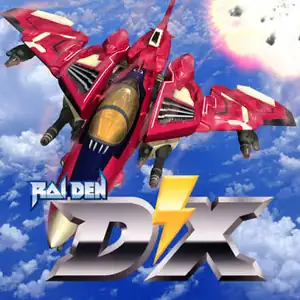
Raiden DX, released by Seibu Kaihatsu in 1994, is an enhanced rework built upon Raiden 2 and represents the most polished entry of the original Raiden arcade trilogy. It retains the full weapon roster from Raiden 2 and provides three distinct play modes: a short training stage for beginners, a 5‑stage normal campaign, and a challenging 9‑stage expert mode with remixed early levels plus four brand‑new space‑themed stages. Enemy formations and bullet density are completely rebalanced with numerous hidden high‑score secrets for speed‑run and score‑attack players. It was ported to PlayStation. The arcade ROM can be emulated with MAME and is essential for Raiden series fans.
- Release year
- 1994
- Developer
- Players
- 2 players
- Supported languages
- English
FAQ
- How can I play Raiden DX?
- You can play Raiden DX online for free right in your browser on 8BitGo. No download or emulator installation is required.
- What platform is Raiden DX?
- 8BitGo classifies this version as Arcade. That describes how it runs here and may differ from the game's original release platform. You can play it directly in the browser.
- Can I save my progress in Raiden DX?
- Save support depends on how this game runs. Quick saves and cloud saves are available only when the player toolbar shows a save control; otherwise use the game's own save feature.
- Does Raiden DX work on mobile?
- It depends on the game. Check the controls on this page: games with on-screen buttons work on touch devices, while keyboard-and-mouse games are best played on desktop.
Controls
These are the default keys. Every arcade board has a different number of buttons and means different things by them. The rows above are buttons 1–6 on the board: on Neo Geo boards (The King of Fighters and friends) A/B/C/D are buttons 1–4, Metal Slug uses only 1, 2 and 4 (shoot / jump / grenade), and Pac-Man uses none at all. Six-button fighters with three punches and three kicks (Street Fighter II and the like) get a different layout from the core: light punch U, medium punch I, heavy punch Q, light kick J, medium kick K, heavy kick E. Click the gamepad icon 🎮 in the player toolbar, then “Remap keys” to open the emulator’s own control settings (keyboard and gamepad, saved automatically). Gamepads are detected automatically. On phones you get on-screen buttons.
D-Pad
W S A D
Button 1
J
Button 2
K
Button 3
U
Button 4
I
Button 5
E
Button 6
Q
Insert coin
V
Start
Enter
Quick save
F2
Quick load
F4
You might also like
Same platform, same genre, or from the same developer
 ARCADE
Raiden II
 ARCADE
Raiden
 ARCADE
Metal Slug 3
 ARCADE
Metal Slug 2: Super Vehicle 001/II
 ARCADE
Metal Slug: Super Vehicle-001
 ARCADE