Checking this game’s age requirement…
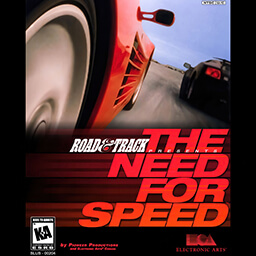
Need for Speed
About this game
The Need for Speed DOS is the original classic racing game developed by EA, officially ported to the MS-DOS platform in 1995. It is the only official DOS version in the entire Need for Speed series and a milestone work that pioneered modern street racing games. Initially released for 3DO in 1994, it was later perfectly adapted for DOS systems, becoming a benchmark realistic racing game for PC players in the 1990s. Co-developed with the famous automotive media Road & Track, the game highly restores the real driving physics and appearance of luxury sports cars. It features eight high-performance vehicles including Lamborghini, Ferrari, Porsche and Toyota Supra, with unique acceleration, braking and drifting feel for each car. There are six original tracks covering mountain roads, coastal highways and urban circuits, including open road races and closed circuit races, bringing diverse racing experiences. The core gameplay includes time trial mode and AI versus mode, with optional manual and automatic transmission. It simulates real racing physics such as speed control, corner deceleration and high-speed skidding, offering profound operating strategies instead of casual arcade racing. Players need to control speed accurately, avoid track obstacles, refresh the fastest lap time and defeat AI opponents to win races. The 1996 Special Edition adds exclusive tracks and optimizes the game engine for better visual quality and stability. As a rare vintage racing classic for DOS, all subsequent Need for Speed titles no longer support DOS systems, making this version highly valuable for retro game collection. It can run perfectly through DOSBox emulators without complex configuration, restoring the authentic old PC racing experience. It remains a must-play classic DOS racing game for retro PC game enthusiasts.
- Release year
- 1995
- Developer
- Players
- Single player
- Supported languages
- English
FAQ
- How can I play Need for Speed?
- You can play Need for Speed online for free right in your browser on 8BitGo. No download or emulator installation is required.
- What platform is Need for Speed?
- 8BitGo classifies this version as DOS PC Games. That describes how it runs here and may differ from the game's original release platform. You can play it directly in the browser.
- Can I save my progress in Need for Speed?
- Save support depends on how this game runs. Quick saves and cloud saves are available only when the player toolbar shows a save control; otherwise use the game's own save feature.
- Does Need for Speed work on mobile?
- It depends on the game. Check the controls on this page: games with on-screen buttons work on touch devices, while keyboard-and-mouse games are best played on desktop.
Controls
These games get the keyboard directly — the controls are whatever the game itself defines, usually in its own help or options screen. Gamepads are detected automatically. On phones you get on-screen buttons.
You might also like
Same platform, same genre, or from the same developer