-96.webp)
Checking this game’s age requirement…
Jin Yong's Heroes 2
About this game
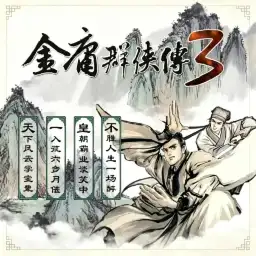
Jin Yong's Heroes 2 is a Chinese wuxia turn-based RPG Flash game created by indie developer Banping Shenxiancu (Guo Lei). It serves as the prequel to Jin Yong's Heroes 3 and became one of the most famous fan-made wuxia games on Chinese Flash game portals like 4399 and 7k7k. Players play as a time traveler entering Jin Yong’s martial arts universe. Customize starting stats and choose your moral path to become a hero or a villain. Join four major sects including Huashan, Wudang, Shaolin and Sun Moon Holy Cult, or wander the world without sect affiliation. It adapts classic storylines from Jin Yong’s novels, featuring famous characters such as Linghu Chong, Qiao Feng, Wei Xiaobao and Dongfang Bubai. Turn-based combat includes dozens of legendary martial arts skills: Nine Yang Divine Skill, Yi Jin Jing, Nine Swords of Dugu, Sunflower Manual and more. Karma system changes NPC reactions and story branches, with hidden endings including Huashan Sword Debate and custom self-created martial arts. The original Chinese Flash version can be played via Flash emulators, a landmark fan-made wuxia RPG of the Flash era.
- Release year
- 2006
- Developer
- Players
- Single player
- Supported languages
- 简体中文
FAQ
- How can I play Jin Yong's Heroes 2?
- You can play Jin Yong's Heroes 2 online for free right in your browser on 8BitGo. No download or emulator installation is required.
- What platform is Jin Yong's Heroes 2?
- 8BitGo classifies this version as Flash Web Games. That describes how it runs here and may differ from the game's original release platform. You can play it directly in the browser.
- Can I save my progress in Jin Yong's Heroes 2?
- Save support depends on how this game runs. Quick saves and cloud saves are available only when the player toolbar shows a save control; otherwise use the game's own save feature.
- Does Jin Yong's Heroes 2 work on mobile?
- It depends on the game. Check the controls on this page: games with on-screen buttons work on touch devices, while keyboard-and-mouse games are best played on desktop.
Controls
These games get the keyboard directly — the controls are whatever the game itself defines, usually in its own help or options screen. Some games show on-screen buttons on phones.
Quick save
F2
Quick load
F4
You might also like
Same platform, same genre, or from the same developer