
Checking this game’s age requirement…
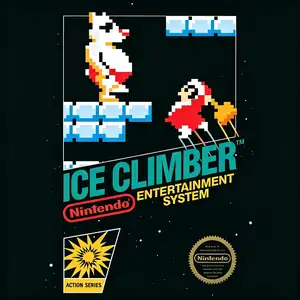
Ice Climber
About this game
Ice Climber (Japanese title: アイスクライマー) is a vertical‑scrolling platform action game developed by Nintendo R&D1, released for the Famicom / NES in 1985, with an arcade VS. Ice Climber variant released the same year. The story follows Popo and Nana, two young eskimo climbers, who wield ice hammers to scale frozen mountains and retrieve their vegetables stolen by a giant condor. Players smash overhead ice blocks with hammers to open paths and jump upward through layered platforms, while fending off seals, yetis, birds and polar bears. The polar bear pushes the screen downward over time; getting pushed off‑screen results in a lost life. Each mountain consists of eight floors, leading to a cloud‑themed bonus stage for collecting high‑score vegetables. There are 32 unique mountains in total; after completion the game loops endlessly without a true ending. It supports 1‑2 simultaneous players, allowing cooperative or chaotic competitive‑style play. Popo and Nana later became well‑known fighters in the Super Smash Bros franchise. The title received ports for Famicom Disk System, GBA, Wii, Nintendo 3DS and Switch. Original FC ROMs are playable via emulators, remaining a beloved NES retro classic for generations of players.
- Release year
- 1985
- Developer
- Players
- Single player
- Supported languages
- 简体中文 · English · Español
FAQ
- How can I play Ice Climber?
- You can play Ice Climber online for free right in your browser on 8BitGo. No download or emulator installation is required.
- What platform is Ice Climber?
- 8BitGo classifies this version as NES (Famicom). That describes how it runs here and may differ from the game's original release platform. You can play it directly in the browser.
- Can I save my progress in Ice Climber?
- Save support depends on how this game runs. Quick saves and cloud saves are available only when the player toolbar shows a save control; otherwise use the game's own save feature.
- Does Ice Climber work on mobile?
- It depends on the game. Check the controls on this page: games with on-screen buttons work on touch devices, while keyboard-and-mouse games are best played on desktop.
Controls
These are the default keys. Click the gamepad icon 🎮 in the player toolbar, then “Remap keys” to open the emulator’s own control settings (keyboard and gamepad, saved automatically). Gamepads are detected automatically. On phones you get on-screen buttons.
D-Pad
W S A D
A
K
B
J
Start
Enter
Select
Shift
Quick save
F2
Quick load
F4
You might also like
Same platform, same genre, or from the same developer
 GBA
GBARhythm Heaven
 GB
GBThe Legend of Zelda: Link’s Awakening
 NES
NESSuper Mario Bros.
Contra
 NES
NESSuper Mario Bros.3
 NES
NESTeenage Mutant Ninja Turtles III: The Manhattan Project
 NES
NESCircus Charlie
 NES
NES