

Die Altersanforderung dieses Spiels wird geprüft…
Pokémon Black
Über dieses Spiel
Pokémon Black Version is a role-playing game developed by Game Freak and published by Nintendo for Nintendo DS, the core Generation V Pokémon title, first released in Japan in 2010. The adventure takes place in Unova, a region with modern metropolitan vibes. Starting in Nuvema Town, players pick Snivy, Tepig or Oshawott as starter Pokémon from Professor Juniper, challenge eight gym leaders and confront Team Plasma, an organization advocating to liberate Pokémon. It brought bold innovation: only 156 brand-new Gen 5 Pokémon can be encountered before beating the main story, no older Pokémon appear in main campaign. New mechanics include triple battles, rotation battles, seasonal cycles, C-Gear wireless communication, Pokémon Musical and Dream World, with animated battle sprites. The box legendary Pokémon is Reshiram. The story explores the bond between humans and Pokémon with more mature themes, making it a revolutionary classic Pokémon game on NDS.
- Erscheinungsjahr
- 2010
- Entwickler
- Spieler
- Einzelspieler
- Unterstützte Sprachen
- 简体中文 · English · 日本語 · Français · Deutsch · Español · Italiano
Häufige Fragen
- Wie kann ich Pokémon Black spielen?
- Du kannst Pokémon Black kostenlos und online direkt in deinem Browser auf 8BitGo spielen. Es ist kein Download oder Emulator nötig.
- Für welche Plattform ist Pokémon Black?
- 8BitGo ordnet diese Version als Nintendo DS ein. Das beschreibt die Laufzeit auf dieser Website und kann von der ursprünglichen Veröffentlichungsplattform abweichen. Du kannst direkt im Browser spielen.
- Kann ich meinen Fortschritt in Pokémon Black speichern?
- Die Speicherfunktion hängt von der Laufzeit des Spiels ab. Schnell- und Cloud-Speichern sind nur verfügbar, wenn die Spielerleiste eine Speicherfunktion zeigt; andernfalls nutze die Speicherfunktion des Spiels.
- Funktioniert Pokémon Black auf dem Handy?
- Das hängt vom Spiel ab. Prüfe die Steuerung auf dieser Seite: Spiele mit Bildschirmtasten funktionieren per Touch, Spiele mit Tastatur und Maus am besten am Computer.
Steuerung
Das sind die Standardtasten. Klicke im Player auf das Gamepad-Symbol 🎮 und dann auf „Tasten belegen“, um die Tastenbelegung des Emulators zu öffnen (Tastatur und Gamepad, wird automatisch gespeichert). Gamepads werden automatisch erkannt. Auf dem Handy bekommst du Bildschirmtasten.
Steuerkreuz
W S A D
A
K
B
J
X
I
Y
U
L
Q
R
E
Start
Enter
Select
Shift
Schnellspeichern
F2
Schnellladen
F4
Das könnte dir auch gefallen
Gleiche Plattform, gleiches Genre oder vom selben Entwickler
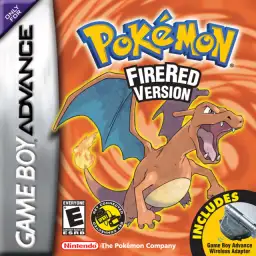 GBA
GBAPokémon FireRed
 GBA
GBAPokémon Emerald
 GBA
GBAPokémon Ruby
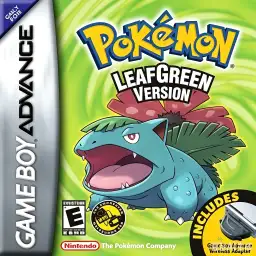 GBA
GBAPokémon LeafGreen
 GBC
GBCPokémon Crystal Version
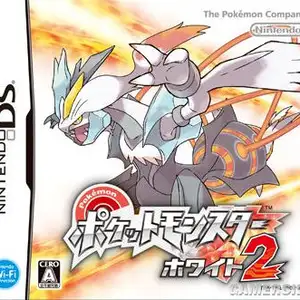 NDS
NDSPokémon White 2
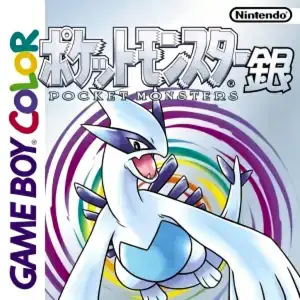 GBC
GBCPokémon Silver Version
 GBA
GBA