
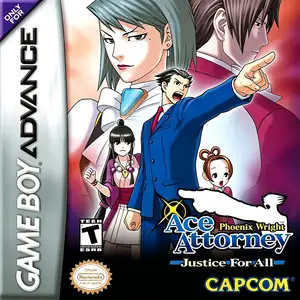
Die Altersanforderung dieses Spiels wird geprüft…
Phoenix Wright Ace Attorney: Justice For All
Über dieses Spiel
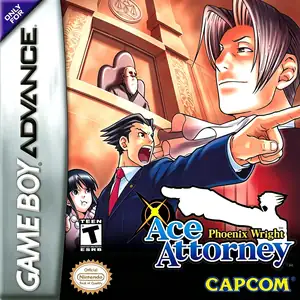
Phoenix Wright: Ace Attorney‑Justice For All (Japanese: Gyakuten Saiban 2) is Capcom’s courtroom visual‑novel adventure released for Game Boy Advance on October 18, 2002, the second mainline entry in the Ace Attorney franchise. Set one year after the events of the first game, it keeps the established loop of investigation and courtroom cross‑examination. It introduces the iconic Psyche‑Lock mechanic: players can break through characters’ hidden secrets by presenting correct evidence during investigation. Courtroom penalties are reworked into a life‑bar system, with some mistakes capable of instant game‑over to heighten trial tension. It contains four full episodes, introduces new prosecutor Franziska von Karma and Pearl Fey, and plants major narrative hooks leading into Trials and Tribulations. Originally Japan‑only on GBA, it later received fan‑made Chinese translation and can be played via GBA emulators.
- Erscheinungsjahr
- 2002
- Entwickler
- Spieler
- Einzelspieler
- Unterstützte Sprachen
- 简体中文 · 日本語
Häufige Fragen
- Wie kann ich Phoenix Wright Ace Attorney: Justice For All spielen?
- Du kannst Phoenix Wright Ace Attorney: Justice For All kostenlos und online direkt in deinem Browser auf 8BitGo spielen. Es ist kein Download oder Emulator nötig.
- Für welche Plattform ist Phoenix Wright Ace Attorney: Justice For All?
- 8BitGo ordnet diese Version als Game Boy Advance ein. Das beschreibt die Laufzeit auf dieser Website und kann von der ursprünglichen Veröffentlichungsplattform abweichen. Du kannst direkt im Browser spielen.
- Kann ich meinen Fortschritt in Phoenix Wright Ace Attorney: Justice For All speichern?
- Die Speicherfunktion hängt von der Laufzeit des Spiels ab. Schnell- und Cloud-Speichern sind nur verfügbar, wenn die Spielerleiste eine Speicherfunktion zeigt; andernfalls nutze die Speicherfunktion des Spiels.
- Funktioniert Phoenix Wright Ace Attorney: Justice For All auf dem Handy?
- Das hängt vom Spiel ab. Prüfe die Steuerung auf dieser Seite: Spiele mit Bildschirmtasten funktionieren per Touch, Spiele mit Tastatur und Maus am besten am Computer.
Steuerung
Das sind die Standardtasten. Klicke im Player auf das Gamepad-Symbol 🎮 und dann auf „Tasten belegen“, um die Tastenbelegung des Emulators zu öffnen (Tastatur und Gamepad, wird automatisch gespeichert). Gamepads werden automatisch erkannt. Auf dem Handy bekommst du Bildschirmtasten.
Steuerkreuz
W S A D
A
K
B
J
L
Q
R
E
Start
Enter
Select
Shift
Schnellspeichern
F2
Schnellladen
F4
Das könnte dir auch gefallen
Gleiche Plattform, gleiches Genre oder vom selben Entwickler
Cadillacs and Dinosaurs
 ARCADE
JoJo's Bizarre Adventure: Heritage for the Future
 ARCADE
Warriors of Fate
 ARCADE
Marvel Super Heroes vs Street Fighter
 ARCADE
Street Fighter Alpha 3
.webp) ARCADE
ARCADESuper Street Fighter II Turbo
 GBA
GBAPhoenix Wright: Ace Attorney
 ARCADE