
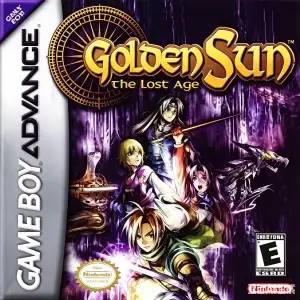
Die Altersanforderung dieses Spiels wird geprüft…
Golden Sun: The Lost Age
Über dieses Spiel
Golden Sun: The Lost Age, released 2003 for GBA by Camelot Software Planning, serves as the direct second half of Golden Sun’s grand story, following protagonist Felix and his companions after the cliffhanger ending of the first game. Sail across the southern seas of Weyard aboard a ship and explore expansive new continents, dungeons and environmental puzzles. Building on Djinn and Psynergy mechanics, total Djinn count rises to 72 with brand‑new multi‑Djinn combo summons and enhanced battle visuals. It supports save‑data import from Golden Sun 1 to transfer Djinn and items, unlocking secret dungeons and bonus bosses. Up to 8 playable characters can be swapped in‑party, with advanced Psynergy abilities including Growth, Freeze and Reveal. Offering huge playtime and narrative closure for the alchemical saga, it stands among GBA’s finest vintage role‑playing games。
- Erscheinungsjahr
- 2003
- Entwickler
- Spieler
- Einzelspieler
- Unterstützte Sprachen
- 简体中文 · English · 日本語 · Français · Italiano
Häufige Fragen
- Wie kann ich Golden Sun: The Lost Age spielen?
- Du kannst Golden Sun: The Lost Age kostenlos und online direkt in deinem Browser auf 8BitGo spielen. Es ist kein Download oder Emulator nötig.
- Für welche Plattform ist Golden Sun: The Lost Age?
- 8BitGo ordnet diese Version als Game Boy Advance ein. Das beschreibt die Laufzeit auf dieser Website und kann von der ursprünglichen Veröffentlichungsplattform abweichen. Du kannst direkt im Browser spielen.
- Kann ich meinen Fortschritt in Golden Sun: The Lost Age speichern?
- Die Speicherfunktion hängt von der Laufzeit des Spiels ab. Schnell- und Cloud-Speichern sind nur verfügbar, wenn die Spielerleiste eine Speicherfunktion zeigt; andernfalls nutze die Speicherfunktion des Spiels.
- Funktioniert Golden Sun: The Lost Age auf dem Handy?
- Das hängt vom Spiel ab. Prüfe die Steuerung auf dieser Seite: Spiele mit Bildschirmtasten funktionieren per Touch, Spiele mit Tastatur und Maus am besten am Computer.
Steuerung
Das sind die Standardtasten. Klicke im Player auf das Gamepad-Symbol 🎮 und dann auf „Tasten belegen“, um die Tastenbelegung des Emulators zu öffnen (Tastatur und Gamepad, wird automatisch gespeichert). Gamepads werden automatisch erkannt. Auf dem Handy bekommst du Bildschirmtasten.
Steuerkreuz
W S A D
A
K
B
J
L
Q
R
E
Start
Enter
Select
Shift
Schnellspeichern
F2
Schnellladen
F4
Das könnte dir auch gefallen
Gleiche Plattform, gleiches Genre oder vom selben Entwickler
 GBA
GBAGolden Sun
 GBA
GBAPokémon FireRed
 GBA
GBAPokémon Emerald
 GBA
GBAPokémon Ruby
 GBA
GBAKirby: Nightmare in Dream Land
 GBA
GBAPokémon LeafGreen
 GBA
GBAThe Urbz: Sims in the City
 GBA
GBA