
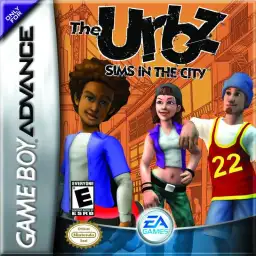
Die Altersanforderung dieses Spiels wird geprüft…
The Urbz: Sims in the City
Über dieses Spiel
The Urbz: Sims in the City is a classic life simulation game developed by Griptonite and published by EA, released for the GBA handheld console in 2004. As an independent spin-off work of The Sims series, it focuses on urban social simulation and status growth, combining traditional life simulation with RPG progression gameplay, forming a unique and highly playable retro game experience on GBA. Different from rural-themed simulation games, this title sets the background in a bustling modern city. Players start as ordinary citizens and gradually gain reputation, improve social status and step into high-class urban circles. The game features 25 brand-new explorable locations including city blocks, business districts, seaside areas and high-end communities. Players complete various career tasks, social challenges and mini-games to unlock new areas, exclusive items and advanced social privileges. It inherits the classic Sims core gameplay. Players customize character appearances, maintain daily life stats such as mood, hygiene and hunger. Earn money through part-time jobs, decorate houses with trendy furniture, and interact with diverse NPCs to expand social networks. Built-in multiple casual mini-games and GBA multiplayer support greatly enrich the overall gameplay diversity. Fully optimized for GBA hardware and key controls, the game features delicate pixel visuals and smooth operation experience. It improves storyline coherence and character growth system, taking reputation level as the core progression mechanic and bringing clearer gaming goals. Playable smoothly on all kinds of GBA emulators without complicated installation, The Urbz: Sims in the City remains a unique and popular classic urban simulation game for retro game lovers.
- Erscheinungsjahr
- 2004
- Entwickler
- Spieler
- Einzelspieler
- Unterstützte Sprachen
- 简体中文 · English · 日本語 · Français · Deutsch · Español · Italiano
Häufige Fragen
- Wie kann ich The Urbz: Sims in the City spielen?
- Du kannst The Urbz: Sims in the City kostenlos und online direkt in deinem Browser auf 8BitGo spielen. Es ist kein Download oder Emulator nötig.
- Für welche Plattform ist The Urbz: Sims in the City?
- 8BitGo ordnet diese Version als Game Boy Advance ein. Das beschreibt die Laufzeit auf dieser Website und kann von der ursprünglichen Veröffentlichungsplattform abweichen. Du kannst direkt im Browser spielen.
- Kann ich meinen Fortschritt in The Urbz: Sims in the City speichern?
- Die Speicherfunktion hängt von der Laufzeit des Spiels ab. Schnell- und Cloud-Speichern sind nur verfügbar, wenn die Spielerleiste eine Speicherfunktion zeigt; andernfalls nutze die Speicherfunktion des Spiels.
- Funktioniert The Urbz: Sims in the City auf dem Handy?
- Das hängt vom Spiel ab. Prüfe die Steuerung auf dieser Seite: Spiele mit Bildschirmtasten funktionieren per Touch, Spiele mit Tastatur und Maus am besten am Computer.
Steuerung
Das sind die Standardtasten. Klicke im Player auf das Gamepad-Symbol 🎮 und dann auf „Tasten belegen“, um die Tastenbelegung des Emulators zu öffnen (Tastatur und Gamepad, wird automatisch gespeichert). Gamepads werden automatisch erkannt. Auf dem Handy bekommst du Bildschirmtasten.
Steuerkreuz
W S A D
A
K
B
J
L
Q
R
E
Start
Enter
Select
Shift
Schnellspeichern
F2
Schnellladen
F4
Das könnte dir auch gefallen
Gleiche Plattform, gleiches Genre oder vom selben Entwickler
 GBA
GBAPokémon FireRed
 GBA
GBAPokémon Emerald
 GBA
GBAPokémon Ruby
 GBA
GBAKirby: Nightmare in Dream Land
 GBA
GBAPokémon LeafGreen
 GBA
GBAGolden Sun
 GBA
GBAFinal Fantasy IV Advance
 GBA
GBA