
このゲームの年齢制限を確認しています…
Street Fighter II
ゲーム紹介
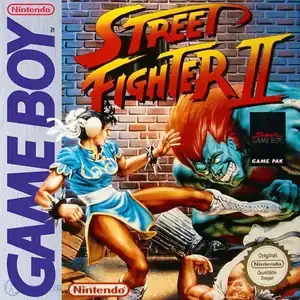
Street Fighter II (Japanese title: ストリートファイター II) is a Capcom fighting title released for Game Boy on August 11, 1995. It is not a direct arcade port but a custom‑built handheld adaptation, drawing visual assets from Super Street Fighter 2 while incorporating selected moves from Super Street Fighter 2 Turbo. Due to Game Boy cartridge memory constraints, the roster is trimmed to nine playable fighters: Ryu, Ken, Chun‑Li, Blanka, Guile, Zangief, Balrog, Sagat and M. Bison. E. Honda, Dhalsim and Vega are omitted from this release. Since Game Boy hardware only provides two action buttons, attack strength is controlled by hold duration: short taps trigger weak attacks, while holding buttons delivers heavy strikes. Signature special moves such as Hadouken, Shoryuken and Sonic Boom are faithfully retained. Three gameplay modes are available: standard single‑player mode, no‑continue survival mode with partial health recovery after wins, and versus multiplayer. Two‑player battles work via Game Link Cable, and Super Game Boy support adds color graphics and stage‑themed borders when played on SNES. Completing normal or survival mode at difficulty level 4 or 5 unlocks character endings; beating survival on max difficulty reveals a special sprite showcase bonus. This is a unique handheld‑exclusive Street Fighter II iteration, never included in later official compilation collections. Original GB ROM files can be run via emulators and it remains a notable retro fighting landmark of 1990s handheld gaming。
- 発売年
- 1995
- 開発会社
- プレイ人数
- 1 人用
- 対応言語
- English · 日本語
よくある質問
- Street Fighter II はどうやって遊べますか?
- 8BitGo ならブラウザでそのまま無料オンラインプレイでき、ダウンロードやエミュレーターのインストールは不要です。
- Street Fighter II はどのプラットフォームのゲームですか?
- 8BitGo ではこのバージョンを Game Boy として分類しています。これは当サイトでの実行方式を示すもので、元の発売プラットフォームとは異なる場合があります。ブラウザですぐ遊べます。
- Street Fighter II の進行状況は保存できますか?
- セーブ対応はゲームの実行方式によって異なります。プレイヤーのツールバーにセーブ操作が表示される場合のみ、クイックセーブやクラウドセーブを利用できます。それ以外はゲーム内の保存機能を使ってください。
- Street Fighter II はスマホでも遊べますか?
- ゲームによって異なります。このページの操作説明を確認してください。画面内ボタンがあるゲームはタッチ操作に対応し、キーボードとマウスが必要なゲームは PC 向けです。
操作方法
以下はデフォルトのキー配置です。 プレイヤー下部のゲームパッドアイコン 🎮 →「キー設定」で、エミュレーター本体のボタン設定を開けます(キーボードとゲームパッドの両方、自動保存)。 ゲームパッドは自動で認識されます。 スマートフォンでは画面上にボタンが表示されます。
十字キー
W S A D
A
K
B
J
Start
Enter
Select
Shift
クイックセーブ
F2
クイックロード
F4
こちらもおすすめ
同じゲーム機・同じジャンル・同じ開発会社の作品
Cadillacs and Dinosaurs
 ARCADE
JoJo's Bizarre Adventure: Heritage for the Future
 ARCADE
Warriors of Fate
 ARCADE
Marvel Super Heroes vs Street Fighter
 ARCADE
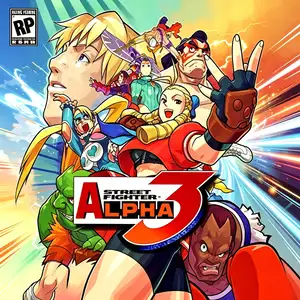
Street Fighter Alpha 3
.webp) ARCADE
ARCADESuper Street Fighter II Turbo
 GBA
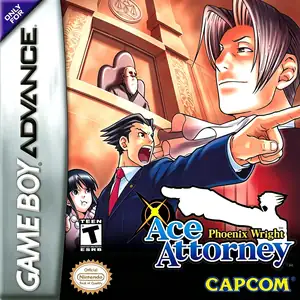
GBAPhoenix Wright: Ace Attorney
 ARCADE