
このゲームの年齢制限を確認しています…
ゲーム紹介
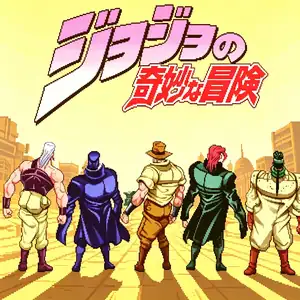
JoJo's Venture is a 2D arcade fighting game developed by Capcom in 1998 for the CPS-3 arcade hardware. JoJo's Venture is the overseas title; an enhanced updated version named Heritage for the Future was released afterward. It is adapted from Hirohiko Araki’s manga *JoJo's Bizarre Adventure: Stardust Crusaders*, created by the same team behind Street Fighter III, with Araki participating in art consultation. The story follows Jotaro Kujo and his companions on their cross-continental journey to stop DIO and save Jotaro’s mother Holly. It introduced the revolutionary Stand system. A dedicated Stand button summons your Stand to fight alongside you. Each Stand has its own Stand gauge; once depleted, the Stand gets crushed and temporarily disabled. Every character’s Stand faithfully replicates unique abilities from the manga. It uses a six-button fighting layout, with classic Capcom mechanics including super meter, guard cancel, rolls and hit clashes. The game includes single-player story campaign and 2-player versus mode. Its bold art faithfully reproduces Araki’s manga style with comic panel visual effects. It is a groundbreaking fighting game adaptation, later ported to PS1 and Dreamcast, and re-released as an HD remaster in 2012.
- 発売年
- 1998
- 開発会社
- プレイ人数
- 1 人用
- 対応言語
- English
よくある質問
- JoJo's Venture はどうやって遊べますか?
- 8BitGo ならブラウザでそのまま無料オンラインプレイでき、ダウンロードやエミュレーターのインストールは不要です。
- JoJo's Venture はどのプラットフォームのゲームですか?
- 8BitGo ではこのバージョンを アーケード として分類しています。これは当サイトでの実行方式を示すもので、元の発売プラットフォームとは異なる場合があります。ブラウザですぐ遊べます。
- JoJo's Venture の進行状況は保存できますか?
- セーブ対応はゲームの実行方式によって異なります。プレイヤーのツールバーにセーブ操作が表示される場合のみ、クイックセーブやクラウドセーブを利用できます。それ以外はゲーム内の保存機能を使ってください。
- JoJo's Venture はスマホでも遊べますか?
- ゲームによって異なります。このページの操作説明を確認してください。画面内ボタンがあるゲームはタッチ操作に対応し、キーボードとマウスが必要なゲームは PC 向けです。
操作方法
以下はデフォルトのキー配置です。 アーケードは基板ごとにボタン数も意味も違います。上の表は基板の 1〜6 番目のボタンがどのキーに来るかです。ネオジオ(ザ・キング・オブ・ファイターズなど)の A/B/C/D はボタン 1〜4、メタルスラッグは 1・2・4 だけ(ショット / ジャンプ / 手榴弾)、パックマンはボタンを使いません。 3 パンチ 3 キックの 6 ボタン格闘(ストII など)はコアが別の配置に切り替えます:弱パンチ U、中パンチ I、強パンチ Q、弱キック J、中キック K、強キック E。 プレイヤー下部のゲームパッドアイコン 🎮 →「キー設定」で、エミュレーター本体のボタン設定を開けます(キーボードとゲームパッドの両方、自動保存)。 ゲームパッドは自動で認識されます。 スマートフォンでは画面上にボタンが表示されます。
十字キー
W S A D
ボタン 1
J
ボタン 2
K
ボタン 3
U
ボタン 4
I
ボタン 5
E
ボタン 6
Q
コイン投入
V
Start
Enter
クイックセーブ
F2
クイックロード
F4
こちらもおすすめ
同じゲーム機・同じジャンル・同じ開発会社の作品
Cadillacs and Dinosaurs
 ARCADE
JoJo's Bizarre Adventure: Heritage for the Future
 ARCADE
Warriors of Fate
 ARCADE
Marvel Super Heroes vs Street Fighter
 ARCADE
Street Fighter Alpha 3
.webp) ARCADE
ARCADESuper Street Fighter II Turbo
 GBA
GBAPhoenix Wright: Ace Attorney
 ARCADE