
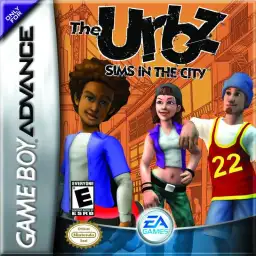
Verifica del requisito di età del gioco…
The Urbz: Sims in the City
Informazioni sul gioco
The Urbz: Sims in the City is a classic life simulation game developed by Griptonite and published by EA, released for the GBA handheld console in 2004. As an independent spin-off work of The Sims series, it focuses on urban social simulation and status growth, combining traditional life simulation with RPG progression gameplay, forming a unique and highly playable retro game experience on GBA. Different from rural-themed simulation games, this title sets the background in a bustling modern city. Players start as ordinary citizens and gradually gain reputation, improve social status and step into high-class urban circles. The game features 25 brand-new explorable locations including city blocks, business districts, seaside areas and high-end communities. Players complete various career tasks, social challenges and mini-games to unlock new areas, exclusive items and advanced social privileges. It inherits the classic Sims core gameplay. Players customize character appearances, maintain daily life stats such as mood, hygiene and hunger. Earn money through part-time jobs, decorate houses with trendy furniture, and interact with diverse NPCs to expand social networks. Built-in multiple casual mini-games and GBA multiplayer support greatly enrich the overall gameplay diversity. Fully optimized for GBA hardware and key controls, the game features delicate pixel visuals and smooth operation experience. It improves storyline coherence and character growth system, taking reputation level as the core progression mechanic and bringing clearer gaming goals. Playable smoothly on all kinds of GBA emulators without complicated installation, The Urbz: Sims in the City remains a unique and popular classic urban simulation game for retro game lovers.
- Anno di uscita
- 2004
- Sviluppatore
- Giocatori
- Giocatore singolo
- Lingue supportate
- 简体中文 · English · 日本語 · Français · Deutsch · Español · Italiano
Domande frequenti
- Come posso giocare a The Urbz: Sims in the City?
- Puoi giocare a The Urbz: Sims in the City online e gratuitamente direttamente nel tuo browser su 8BitGo. Non è richiesto alcun download né l'installazione di emulatori.
- Su quale piattaforma è The Urbz: Sims in the City?
- 8BitGo classifica questa versione come Game Boy Advance. Questo descrive come viene eseguita qui e può differire dalla piattaforma di uscita originale. Puoi giocare direttamente nel browser.
- Posso salvare i miei progressi in The Urbz: Sims in the City?
- Il supporto ai salvataggi dipende da come viene eseguito il gioco. Salvataggi rapidi e cloud sono disponibili solo se la barra del player mostra il relativo comando; altrimenti usa il salvataggio interno del gioco.
- The Urbz: Sims in the City funziona su mobile?
- Dipende dal gioco. Controlla i comandi in questa pagina: i giochi con pulsanti su schermo funzionano via touch, mentre quelli con tastiera e mouse sono più adatti al computer.
Comandi
Questi sono i tasti predefiniti. Fai clic sull’icona del gamepad 🎮 nella barra del player, poi su «Rimappa i tasti» per aprire le impostazioni dei controlli dell’emulatore (tastiera e gamepad, salvate automaticamente). I gamepad vengono rilevati in automatico. Su smartphone compaiono i pulsanti a schermo.
Croce direzionale
W S A D
A
K
B
J
L
Q
R
E
Start
Enter
Select
Shift
Salvataggio rapido
F2
Caricamento rapido
F4
Potrebbe piacerti anche
Stessa piattaforma, stesso genere o stesso sviluppatore
 GBA
GBAPokémon FireRed
 GBA
GBAPokémon Emerald
 GBA
GBAPokémon Ruby
 GBA
GBAKirby: Nightmare in Dream Land
 GBA
GBAPokémon LeafGreen
 GBA
GBAGolden Sun
 GBA
GBAFinal Fantasy IV Advance
 GBA
GBA