Verifica del requisito di età del gioco…
Pokémon Emerald
Informazioni sul gioco
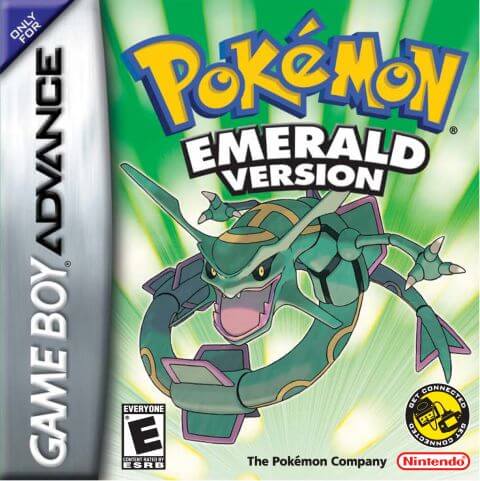
Pokémon Emerald, developed by Game Freak and published by Nintendo, is a classic role‑playing game for the GBA console. As the enhanced and integrated title of Pokémon Ruby and Pokémon Sapphire, it is the third‑generation main‑series Pokémon game officially released in 2004 and a nostalgic GBA classic for numerous players. Set across the diverse Hoenn region, the game casts players as a Pokémon trainer who embarks on a grand adventure from Littleroot Town. The main storyline features both Team Magma and Team Aqua. Centered on the ancient primal legends of Groudon and Kyogre, representing land and ocean respectively, Rayquaza, the sky‑dwelling legendary Pokémon, steps in to halt the crisis and completes the unfinished narrative from Ruby and Sapphire. Retaining core Pokémon‑series gameplay, players catch and train various Pokémon, travel through towns across Hoenn, collect badges by defeating eight Gym Leaders, and take on the Elite Four and Champion to complete the Pokédex. This title introduced landmark mechanics including double battles, Pokémon abilities and dynamic weather systems, greatly deepening strategic combat. After clearing the main story, the Battle Frontier with seven challenging facilities unlocks for end‑game content. Pokémon Contests also serve as relaxing alternative gameplay. Compared with Ruby and Sapphire, Emerald combines Pokémon available in both original games and adjusts legendary‑Pokémon acquisition methods, alongside refined cutscenes, iconic pixel graphics and memorable background music. The widely‑circulated Pokémon Emerald Version 386 hack allows players to catch all 386 Pokémon within a single playthrough, boosting collection‑oriented fun. To this day, it remains one of the most popular retro titles played via GBA emulators.
- Anno di uscita
- 2004
- Sviluppatore
- ,
- Giocatori
- Giocatore singolo
- Lingue supportate
- 简体中文 · English · 日本語 · Français · Deutsch · Español · Italiano
Domande frequenti
- Come posso giocare a Pokémon Emerald?
- Puoi giocare a Pokémon Emerald online e gratuitamente direttamente nel tuo browser su 8BitGo. Non è richiesto alcun download né l'installazione di emulatori.
- Su quale piattaforma è Pokémon Emerald?
- 8BitGo classifica questa versione come Game Boy Advance. Questo descrive come viene eseguita qui e può differire dalla piattaforma di uscita originale. Puoi giocare direttamente nel browser.
- Posso salvare i miei progressi in Pokémon Emerald?
- Il supporto ai salvataggi dipende da come viene eseguito il gioco. Salvataggi rapidi e cloud sono disponibili solo se la barra del player mostra il relativo comando; altrimenti usa il salvataggio interno del gioco.
- Pokémon Emerald funziona su mobile?
- Dipende dal gioco. Controlla i comandi in questa pagina: i giochi con pulsanti su schermo funzionano via touch, mentre quelli con tastiera e mouse sono più adatti al computer.
Comandi
Questi sono i tasti predefiniti. Fai clic sull’icona del gamepad 🎮 nella barra del player, poi su «Rimappa i tasti» per aprire le impostazioni dei controlli dell’emulatore (tastiera e gamepad, salvate automaticamente). I gamepad vengono rilevati in automatico. Su smartphone compaiono i pulsanti a schermo.
Croce direzionale
W S A D
A
K
B
J
L
Q
R
E
Start
Enter
Select
Shift
Salvataggio rapido
F2
Caricamento rapido
F4
Potrebbe piacerti anche
Stessa piattaforma, stesso genere o stesso sviluppatore