
Verifica del requisito di età del gioco…
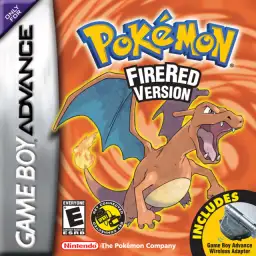
Pokémon FireRed
Informazioni sul gioco
Pokémon FireRed is a classic GBA role-playing game developed by Game Freak and published by Nintendo in 2004. As an official Generation III remake of the original Pokémon Red for Game Boy, it pairs with Pokémon LeafGreen and perfectly inherits the classic Kanto-region adventure while upgrading graphics and gameplay for GBA hardware, remaining a top-tier nostalgic Pokémon game for retro game fans worldwide. The game returns to the iconic Kanto region and restores the complete original storyline. Players start their trainer journey from Pallet Town and choose one of the three classic starters, Bulbasaur, Charmander or Squirtle. Throughout the adventure, players challenge eight gym leaders, defeat the Elite Four, take on the Pokémon League and thwart the evil plans of Team Rocket to protect the peace of Kanto. While retaining all 151 original Generation I Pokémon, Pokémon FireRed upgrades pixel visuals, battle animations and scene details. It integrates complete Generation III mechanics including Pokémon Natures, Abilities and double battles, greatly enriching team building and strategic combat. The most highlight feature is the exclusive Sevii Islands post-game storyline, offering brand-new island maps, abundant side quests and end-game content that greatly extends gameplay duration. The game supports GBA wireless adapter functions, allowing players to trade and battle with Pokémon LeafGreen and Pokémon Emerald versions conveniently. The popular FireRed 386 hack enables players to catch all 386 Pokémon in single-player mode without multiplayer trading. Fully playable on all kinds of GBA emulators with smooth operation and balanced difficulty, Pokémon FireRed is still one of the most popular classic remakes in the Pokémon retro gaming community.
- Anno di uscita
- 2004
- Sviluppatore
- Giocatori
- Giocatore singolo
- Lingue supportate
- 简体中文 · 繁體中文 · English · 日本語 · Français · Deutsch · Español · Italiano
Domande frequenti
- Come posso giocare a Pokémon FireRed?
- Puoi giocare a Pokémon FireRed online e gratuitamente direttamente nel tuo browser su 8BitGo. Non è richiesto alcun download né l'installazione di emulatori.
- Su quale piattaforma è Pokémon FireRed?
- 8BitGo classifica questa versione come Game Boy Advance. Questo descrive come viene eseguita qui e può differire dalla piattaforma di uscita originale. Puoi giocare direttamente nel browser.
- Posso salvare i miei progressi in Pokémon FireRed?
- Il supporto ai salvataggi dipende da come viene eseguito il gioco. Salvataggi rapidi e cloud sono disponibili solo se la barra del player mostra il relativo comando; altrimenti usa il salvataggio interno del gioco.
- Pokémon FireRed funziona su mobile?
- Dipende dal gioco. Controlla i comandi in questa pagina: i giochi con pulsanti su schermo funzionano via touch, mentre quelli con tastiera e mouse sono più adatti al computer.
Comandi
Questi sono i tasti predefiniti. Fai clic sull’icona del gamepad 🎮 nella barra del player, poi su «Rimappa i tasti» per aprire le impostazioni dei controlli dell’emulatore (tastiera e gamepad, salvate automaticamente). I gamepad vengono rilevati in automatico. Su smartphone compaiono i pulsanti a schermo.
Croce direzionale
W S A D
A
K
B
J
L
Q
R
E
Start
Enter
Select
Shift
Salvataggio rapido
F2
Caricamento rapido
F4
Potrebbe piacerti anche
Stessa piattaforma, stesso genere o stesso sviluppatore
 GBA
GBAPokémon Emerald
 GBA
GBAPokémon Ruby
 GBA
GBAPokémon LeafGreen
 GBC
GBCPokémon Crystal Version
 NDS
NDSPokémon White 2
 NDS
NDSPokémon Black
 GBC
GBCPokémon Silver Version
 GBA
GBA