
Verifica del requisito di età del gioco…
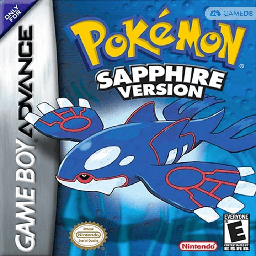
Pokémon Sapphire
Informazioni sul gioco
**Pokémon Sapphire Version** is a role‑playing game developed by Game Freak and published by Nintendo. It was first released in Japan on November 21, 2002, followed by launches in other regions throughout 2003. As the Generation III title in the Pokémon franchise, it marked the series’ debut on the Game Boy Advance platform. Carrying over core gameplay from earlier installments, players control the protagonist from a top‑down perspective, with goals to defeat the Elite Four and complete the Pokédex. The title introduced numerous new features, including double battles, Pokémon Abilities, and 135 brand‑new Pokémon. Benefiting from improved GBA hardware capabilities, the game supported link‑up battles for up to four players. It also added new gameplay modes such as the Pokémon Contests to expand overall game content.
- Anno di uscita
- 2002
- Sviluppatore
- Giocatori
- Giocatore singolo
- Lingue supportate
- 简体中文 · 繁體中文 · English · 日本語 · Français · Deutsch · Español · Italiano
Domande frequenti
- Come posso giocare a Pokémon Sapphire?
- Puoi giocare a Pokémon Sapphire online e gratuitamente direttamente nel tuo browser su 8BitGo. Non è richiesto alcun download né l'installazione di emulatori.
- Su quale piattaforma è Pokémon Sapphire?
- 8BitGo classifica questa versione come Game Boy Advance. Questo descrive come viene eseguita qui e può differire dalla piattaforma di uscita originale. Puoi giocare direttamente nel browser.
- Posso salvare i miei progressi in Pokémon Sapphire?
- Il supporto ai salvataggi dipende da come viene eseguito il gioco. Salvataggi rapidi e cloud sono disponibili solo se la barra del player mostra il relativo comando; altrimenti usa il salvataggio interno del gioco.
- Pokémon Sapphire funziona su mobile?
- Dipende dal gioco. Controlla i comandi in questa pagina: i giochi con pulsanti su schermo funzionano via touch, mentre quelli con tastiera e mouse sono più adatti al computer.
Comandi
Questi sono i tasti predefiniti. Fai clic sull’icona del gamepad 🎮 nella barra del player, poi su «Rimappa i tasti» per aprire le impostazioni dei controlli dell’emulatore (tastiera e gamepad, salvate automaticamente). I gamepad vengono rilevati in automatico. Su smartphone compaiono i pulsanti a schermo.
Croce direzionale
W S A D
A
K
B
J
L
Q
R
E
Start
Enter
Select
Shift
Salvataggio rapido
F2
Caricamento rapido
F4
Potrebbe piacerti anche
Stessa piattaforma, stesso genere o stesso sviluppatore
 GBA
GBAPokémon FireRed
 GBA
GBAPokémon Emerald
 GBA
GBAPokémon Ruby
 GBA
GBAPokémon LeafGreen
 GBC
GBCPokémon Crystal Version
 NDS
NDSPokémon White 2
 NDS
NDSPokémon Black
 GBC
GBC