
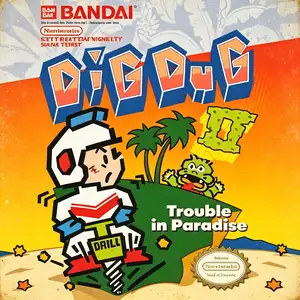
Verifica del requisito di età del gioco…
Informazioni sul gioco
Dig Dug 2, also known as Dig Dug II, was developed by Namco. The arcade version launched in 1985 and was ported to Famicom / NES in 1986 as the direct sequel to the original Dig Dug. Ditching the underground tunnel‑digging gameplay of its predecessor, the game takes place on ocean‑surrounded islands. Instead of digging tunnels, the protagonist shakes land sections to create cracks, sending monsters falling into the sea. Returning foes Pooka and Fygar appear alongside brand‑new enemy types. Players can inflate enemies with the air pump or shake the ground to open fissures that swallow monsters. Volcanic eruptions hurl rocks across the island as an extra hazard. Clear every enemy on the island to complete a stage, with alternating two‑player high‑score mode available. Compared with the original Dig Dug, Dig Dug 2 delivers a major shift in visuals and mechanics by removing underground digging entirely. The NES port faithfully brings over arcade content and keeps the series’ recognizable chiptune audio. Though less famous than the first title, it remains a creative Namco arcade‑to‑console port from the mid‑1980s, fully playable via modern emulators.
- Anno di uscita
- 1986
- Sviluppatore
- Giocatori
- Giocatore singolo
- Lingue supportate
- 简体中文 · English · 日本語
Domande frequenti
- Come posso giocare a Dig Dug 2?
- Puoi giocare a Dig Dug 2 online e gratuitamente direttamente nel tuo browser su 8BitGo. Non è richiesto alcun download né l'installazione di emulatori.
- Su quale piattaforma è Dig Dug 2?
- 8BitGo classifica questa versione come NES (Famicom). Questo descrive come viene eseguita qui e può differire dalla piattaforma di uscita originale. Puoi giocare direttamente nel browser.
- Posso salvare i miei progressi in Dig Dug 2?
- Il supporto ai salvataggi dipende da come viene eseguito il gioco. Salvataggi rapidi e cloud sono disponibili solo se la barra del player mostra il relativo comando; altrimenti usa il salvataggio interno del gioco.
- Dig Dug 2 funziona su mobile?
- Dipende dal gioco. Controlla i comandi in questa pagina: i giochi con pulsanti su schermo funzionano via touch, mentre quelli con tastiera e mouse sono più adatti al computer.
Comandi
Questi sono i tasti predefiniti. Fai clic sull’icona del gamepad 🎮 nella barra del player, poi su «Rimappa i tasti» per aprire le impostazioni dei controlli dell’emulatore (tastiera e gamepad, salvate automaticamente). I gamepad vengono rilevati in automatico. Su smartphone compaiono i pulsanti a schermo.
Croce direzionale
W S A D
A
K
B
J
Start
Enter
Select
Shift
Salvataggio rapido
F2
Caricamento rapido
F4
Potrebbe piacerti anche
Stessa piattaforma, stesso genere o stesso sviluppatore
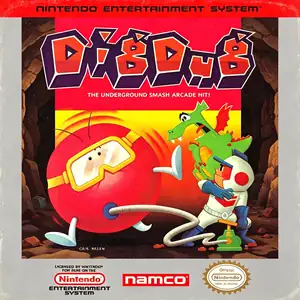 NES
NESDig Dug
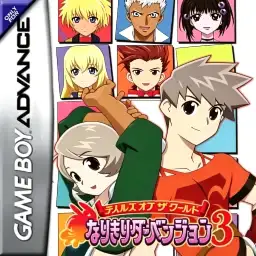 GBA
GBATales of the World: Narikiri Dungeon 3
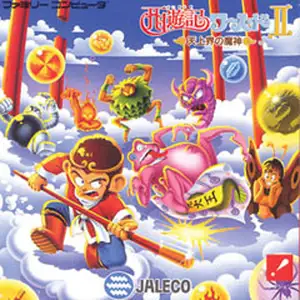 NES
NESSaiyuuki World 2 - Tenjoukai no Majin
 NES
NESSuper Mario Bros.
Contra
 NES
NESSuper Mario Bros.3
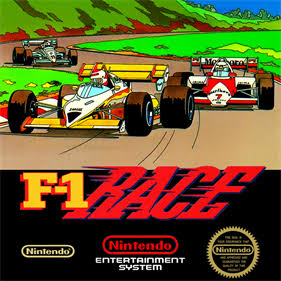 NES
NESF1 Race
 NES
NES