Comprobando el requisito de edad de este juego…
Gran Turismo
Sobre este juego
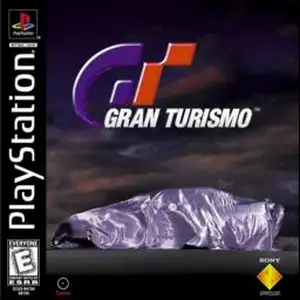
Gran Turismo (also known as GT1 or the first Gran Turismo) is a classic simulation racing game developed by Polyphony Digital and published by Sony Interactive Entertainment. It was released for the PlayStation 1 (PS1) console in December 1997 and serves as the debut title of the Gran Turismo series. Developed over five years, this landmark PS1 racing game impressed players with its realistic physics engine, a large roster of officially licensed cars and a complete racing progression system. Unlike arcade-style racing games of its era, Gran Turismo on PS1 focuses on authentic driving simulation. It simulates tire grip, suspension behaviour, vehicle weight balance and engine sound. Every car has distinct horsepower, braking and handling traits. Players cannot rely on crashing opponents to win and must drive following real-world racing principles. The game features two main modes. Arcade Mode lets players quickly pick cars and tracks for instant races, with multiplayer support for casual gameplay. Gran Turismo Mode, the main career experience, requires players to pass licence tests of different grades to unlock corresponding events. Earn prize money from races, purchase cars and upgrade engines, suspension, tyres and other parts, and grow from an amateur driver into a professional racer. The game includes more than 140 officially licensed vehicles from Japanese, European and American automakers, alongside multiple realistic race tracks. Its car shading, paint reflections and rich content were top-tier for the PS1 generation. Gran Turismo 1 sold nearly 11 million copies worldwide, making it one of the best-selling racing games on PS1. It established the franchise’s reputation as "The Real Driving Simulator" and heavily influenced future simulation racing games. It remains an essential classic for retro PS1 game fans.
- Año de lanzamiento
- 1997
- Desarrolladora
- Jugadores
- 1 jugador
- Idiomas compatibles
- English
Preguntas frecuentes
- ¿Cómo puedo jugar a Gran Turismo?
- Puedes jugar a Gran Turismo en línea y gratis directamente en tu navegador en 8BitGo. No necesitas descargar nada ni instalar ningún emulador.
- ¿En qué plataforma es Gran Turismo?
- 8BitGo clasifica esta versión como Sony PlayStation. Esto describe cómo se ejecuta aquí y puede diferir de la plataforma de lanzamiento original. Puedes jugar directamente en el navegador.
- ¿Puedo guardar mi progreso en Gran Turismo?
- La posibilidad de guardar depende de cómo se ejecute el juego. El guardado rápido y en la nube solo está disponible si la barra del reproductor muestra un control de guardado; si no, usa el guardado propio del juego.
- ¿Funciona Gran Turismo en el móvil?
- Depende del juego. Consulta los controles de esta página: los juegos con botones en pantalla funcionan con tacto, mientras que los de teclado y ratón se disfrutan mejor en un ordenador.
Controles
Estas son las teclas predeterminadas. Haz clic en el icono de mando 🎮 de la barra del reproductor y luego en «Reasignar teclas» para abrir la configuración de controles del emulador (teclado y mando, se guarda automáticamente). Si conectas un mando, se detecta solo. En el teléfono aparecen botones en pantalla.
Cruceta
W S A D
○
K
✕
J
△
I
□
U
L1
Q
R1
E
L2
Tab
R2
R
Stick izquierdo
T G F H
Stick derecho
↑ ↓ ← →
Start
Enter
Select
Shift
Guardado rápido
F2
Carga rápida
F4
También te puede gustar
Misma plataforma, mismo género o de la misma desarrolladora