

Checking this game’s age requirement…
Gran Turismo
⋯
About this game
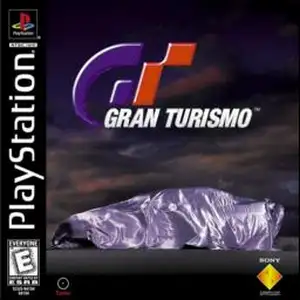
Gran Turismo is the original entry of the GT racing franchise, developed by Polyphony Digital and published by Sony, released on December 23, 1997 for PlayStation. Directed by Kazunori Yamauchi and developed over five years, it carries the famous slogan “The Real Driving Simulator”. It features 146 licensed real cars and 11 tracks including street circuits and professional raceways. It has two main modes: Arcade mode for quick races with 2-player split-screen, and the in-depth Gran Turismo simulation mode. In GT mode, you earn racing licenses to unlock events, win credits to buy new vehicles and perform extensive upgrades on engine, suspension, tires and turbo kits. Its physics engine was groundbreaking on PS1, simulating grip, weight transfer and tyre wear, with authentic engine audio sampled from real cars. It sold over 10.85 million copies worldwide, one of the best-selling PlayStation games. It runs in emulators such as DuckStation and ePSXe and established the blueprint for console racing simulators.
Contributors
No contributors recorded yet.
💡 Guides
✎ Write a guideNo guides yet
You might also like
Same platform, same genre, or from the same developer
FAQ
- How can I play Gran Turismo?
- You can play Gran Turismo online for free right in your browser on 8BitGo. No download or emulator installation is required.
- What platform is Gran Turismo?
- 8BitGo classifies this version as Sony PSP. That describes how it runs here and may differ from the game's original release platform. You can play it directly in the browser.
- Can I save my progress in Gran Turismo?
- Save support depends on how this game runs. Quick saves and cloud saves are available only when the player toolbar shows a save control; otherwise use the game's own save feature.
- Does Gran Turismo work on mobile?
- It depends on the game. Check the controls on this page: games with on-screen buttons work on touch devices, while keyboard-and-mouse games are best played on desktop.
Controls
These are the default keys. Click the gamepad icon 🎮 in the player’s bottom toolbar to rebind them. Gamepads are detected automatically. On phones you get on-screen buttons.
D-Pad
↑ ↓ ← →
×
Z
○
X
□
A
△
S
L
Q
R
W
Analog
I K J L
Start
Space
Select
Enter
Quick save
F2
Quick load
F4