Checking this game’s age requirement…
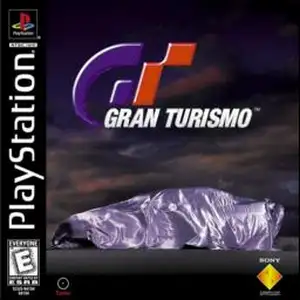
Gran Turismo 2
About this game
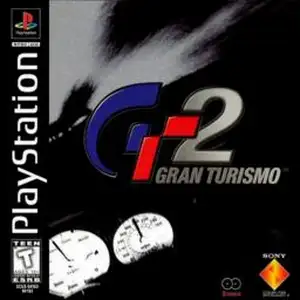
Gran Turismo 2 (GT2) is a simulation racing game developed by Polyphony Digital and published by Sony Interactive Entertainment. It released on PlayStation 1 (PS1) in December 1999 as the sequel to the original Gran Turismo. The game uses a dual-disc format: one disc for Arcade Mode and the other for Simulation Mode. It greatly expanded cars, tracks and customization while refining the franchise’s "The Real Driving Simulator" concept. The game retains realistic vehicle physics, with distinct handling, horsepower, braking, suspension and tire grip for every car. New rally dirt tracks and drag racing events bring more racing varieties. In Simulation career mode, players must pass licence tests to unlock races. Earn prize money from competitions, buy officially licensed cars from global manufacturers, and fully upgrade engines, chassis, drivetrain and other parts to progress from amateur to professional driver. Gran Turismo 2 features over 500 officially licensed vehicles, including Japanese performance cars, American muscle cars and European classic supercars. There are 29 race tracks with more than 40 layout combinations, featuring famous courses such as Pikes Peak and Rome street circuit. Compared with GT1, tuning and modification options are expanded with higher customization freedom. The game sold nearly 9.5 million copies worldwide and stands among the most successful racing games on PS1. It expanded the scope of the Gran Turismo series and perfected its gameplay formula, remaining a must-play classic for retro PS1 racing fans.
- Release year
- 1999
- Developer
- Players
- Single player
- Supported languages
- English
FAQ
- How can I play Gran Turismo 2?
- You can play Gran Turismo 2 online for free right in your browser on 8BitGo. No download or emulator installation is required.
- What platform is Gran Turismo 2?
- 8BitGo classifies this version as Sony PlayStation. That describes how it runs here and may differ from the game's original release platform. You can play it directly in the browser.
- Can I save my progress in Gran Turismo 2?
- Save support depends on how this game runs. Quick saves and cloud saves are available only when the player toolbar shows a save control; otherwise use the game's own save feature.
- Does Gran Turismo 2 work on mobile?
- It depends on the game. Check the controls on this page: games with on-screen buttons work on touch devices, while keyboard-and-mouse games are best played on desktop.
Controls
These are the default keys. Click the gamepad icon 🎮 in the player toolbar, then “Remap keys” to open the emulator’s own control settings (keyboard and gamepad, saved automatically). Gamepads are detected automatically. On phones you get on-screen buttons.
D-Pad
W S A D
○
K
✕
J
△
I
□
U
L1
Q
R1
E
L2
Tab
R2
R
Left stick
T G F H
Right stick
↑ ↓ ← →
Start
Enter
Select
Shift
Quick save
F2
Quick load
F4
You might also like
Same platform, same genre, or from the same developer