
Die Altersanforderung dieses Spiels wird geprüft…
The King of Fighters ’98
Über dieses Spiel
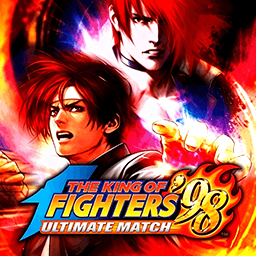
**The King of Fighters ’98: Dream Match Never Ends** is a legendary 2D fighting game released by SNK for Neo‑Geo arcade hardware in 1998. As a comprehensive compilation title of the Orochi saga, it is widely regarded as one of the greatest competitive fighting games for its outstanding character balance株式会社S.... This is a story‑free dream‑match crossover. It brings together fan‑favorite fighters from KOF 94 to KOF 97, including Kyo Kusanagi, Iori Yagami, Mai Shiranui and many more. Players assemble a three‑character team under the classic 3‑on‑3 team battle rule, set fight order freely, and compete by mastering combos and meter management. Omega Rugal serves as the final boss after clearing arcade mode. Two distinct gameplay systems are available, ADVANCED Mode and EXTRA Mode, with unique gauge building and evasion mechanics for varied playstyles. Compared with KOF 97, this entry fixes overpowered combos and glitches for fairer competitive matches, featuring a huge roster with alternate versions and secret unlockable fighters. An enhanced remastered version, **KOF 98 Ultimate Match**, expands playable characters and rebalances the whole cast. Up to now, The King of Fighters ’98 remains a staple retro fighting game for arcade emulators and offline tournaments.
- Erscheinungsjahr
- 1998
- Entwickler
- Spieler
- 2 Spieler
- Unterstützte Sprachen
- English
Häufige Fragen
- Wie kann ich The King of Fighters ’98 spielen?
- Du kannst The King of Fighters ’98 kostenlos und online direkt in deinem Browser auf 8BitGo spielen. Es ist kein Download oder Emulator nötig.
- Für welche Plattform ist The King of Fighters ’98?
- 8BitGo ordnet diese Version als Arcade ein. Das beschreibt die Laufzeit auf dieser Website und kann von der ursprünglichen Veröffentlichungsplattform abweichen. Du kannst direkt im Browser spielen.
- Kann ich meinen Fortschritt in The King of Fighters ’98 speichern?
- Die Speicherfunktion hängt von der Laufzeit des Spiels ab. Schnell- und Cloud-Speichern sind nur verfügbar, wenn die Spielerleiste eine Speicherfunktion zeigt; andernfalls nutze die Speicherfunktion des Spiels.
- Funktioniert The King of Fighters ’98 auf dem Handy?
- Das hängt vom Spiel ab. Prüfe die Steuerung auf dieser Seite: Spiele mit Bildschirmtasten funktionieren per Touch, Spiele mit Tastatur und Maus am besten am Computer.
Steuerung
Das sind die Standardtasten. Jedes Arcade-Board hat unterschiedlich viele Tasten und meint Unterschiedliches damit. Oben stehen die Tasten 1–6 des Boards: auf Neo Geo (The King of Fighters und Co.) sind A/B/C/D die Tasten 1–4, Metal Slug nutzt nur 1, 2 und 4 (Schuss / Sprung / Granate), und Pac-Man gar keine. Sechs-Tasten-Prügler mit drei Schlägen und drei Tritten (etwa Street Fighter II) bekommen vom Kern ein anderes Layout: leichter Schlag U, mittlerer Schlag I, schwerer Schlag Q, leichter Tritt J, mittlerer Tritt K, schwerer Tritt E. Klicke im Player auf das Gamepad-Symbol 🎮 und dann auf „Tasten belegen“, um die Tastenbelegung des Emulators zu öffnen (Tastatur und Gamepad, wird automatisch gespeichert). Gamepads werden automatisch erkannt. Auf dem Handy bekommst du Bildschirmtasten.
Steuerkreuz
W S A D
Taste 1
J
Taste 2
K
Taste 3
U
Taste 4
I
Taste 5
E
Taste 6
Q
Münze einwerfen
V
Start
Enter
Schnellspeichern
F2
Schnellladen
F4
Das könnte dir auch gefallen
Gleiche Plattform, gleiches Genre oder vom selben Entwickler
The King of Fighters ’97
 ARCADE
King Of Fighters 2002
 ARCADE
Metal Slug 3
 ARCADE
Metal Slug: Super Vehicle-001
 ARCADE
The King of Fighters 2000
 ARCADE
The King of Fighters 2001
 ARCADE
The King of Fighters 2003
 ARCADE