
Die Altersanforderung dieses Spiels wird geprüft…
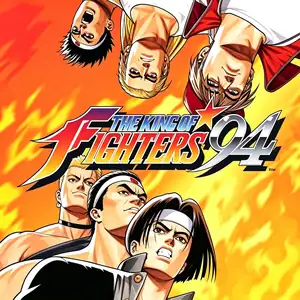
The King of Fighters '94
Über dieses Spiel
The King of Fighters ’94 (KOF 94) is SNK’s landmark fighting title released for Neo‑Geo MVS arcade hardware on August 25, 1994. It is the very first entry in the KOF franchise, pioneering the revolutionary 3‑vs‑3 national‑team tag‑battle system抖音百科. Fighters across the globe receive a mysterious invitation signed only with the letter “R” to join the King of Fighters tournament. The mastermind behind the event is final boss Rugal Bernstein, whose sinister goal is to collect powerful warriors and turn defeated combatants into statues. The winning team is brought aboard an aircraft carrier for the final showdown against Rugal. It assembles an all‑star roster drawing characters from Fatal Fury, Art of Fighting, Ikari Warriors and Psycho Soldier, alongside brand‑new protagonists including Kyo Kusanagi. Teams are fixed by nationality, with no custom team edit function available. The gameplay features a charge‑based power gauge for super special moves, evasive rolls, throw‑escape team assists and guard‑crush mechanics. Its four‑button layout of two punches and two kicks established the control blueprint for the whole KOF series. The arcade original was ported to Neo‑Geo AES and Neo‑Geo CD. A 10‑anniversary remaster *KOF 94 Re‑Bout* launched for PlayStation 2 in 2004. Today the authentic arcade build can be played via Neo‑Geo and MAME emulators. As the origin of the KOF saga, it remains a milestone 2D fighting game of the 1990s.
- Erscheinungsjahr
- 1994
- Entwickler
- Spieler
- Einzelspieler
- Unterstützte Sprachen
- English
Häufige Fragen
- Wie kann ich The King of Fighters '94 spielen?
- Du kannst The King of Fighters '94 kostenlos und online direkt in deinem Browser auf 8BitGo spielen. Es ist kein Download oder Emulator nötig.
- Für welche Plattform ist The King of Fighters '94?
- 8BitGo ordnet diese Version als Arcade ein. Das beschreibt die Laufzeit auf dieser Website und kann von der ursprünglichen Veröffentlichungsplattform abweichen. Du kannst direkt im Browser spielen.
- Kann ich meinen Fortschritt in The King of Fighters '94 speichern?
- Die Speicherfunktion hängt von der Laufzeit des Spiels ab. Schnell- und Cloud-Speichern sind nur verfügbar, wenn die Spielerleiste eine Speicherfunktion zeigt; andernfalls nutze die Speicherfunktion des Spiels.
- Funktioniert The King of Fighters '94 auf dem Handy?
- Das hängt vom Spiel ab. Prüfe die Steuerung auf dieser Seite: Spiele mit Bildschirmtasten funktionieren per Touch, Spiele mit Tastatur und Maus am besten am Computer.
Steuerung
Das sind die Standardtasten. Jedes Arcade-Board hat unterschiedlich viele Tasten und meint Unterschiedliches damit. Oben stehen die Tasten 1–6 des Boards: auf Neo Geo (The King of Fighters und Co.) sind A/B/C/D die Tasten 1–4, Metal Slug nutzt nur 1, 2 und 4 (Schuss / Sprung / Granate), und Pac-Man gar keine. Sechs-Tasten-Prügler mit drei Schlägen und drei Tritten (etwa Street Fighter II) bekommen vom Kern ein anderes Layout: leichter Schlag U, mittlerer Schlag I, schwerer Schlag Q, leichter Tritt J, mittlerer Tritt K, schwerer Tritt E. Klicke im Player auf das Gamepad-Symbol 🎮 und dann auf „Tasten belegen“, um die Tastenbelegung des Emulators zu öffnen (Tastatur und Gamepad, wird automatisch gespeichert). Gamepads werden automatisch erkannt. Auf dem Handy bekommst du Bildschirmtasten.
Steuerkreuz
W S A D
Taste 1
J
Taste 2
K
Taste 3
U
Taste 4
I
Taste 5
E
Taste 6
Q
Münze einwerfen
V
Start
Enter
Schnellspeichern
F2
Schnellladen
F4
Das könnte dir auch gefallen
Gleiche Plattform, gleiches Genre oder vom selben Entwickler
The King of Fighters ’97
 ARCADE
King Of Fighters 2002
 ARCADE
Metal Slug 3
 ARCADE
The King of Fighters ’98
 ARCADE
Metal Slug: Super Vehicle-001
 ARCADE
The King of Fighters 2000
 ARCADE
The King of Fighters 2001
 ARCADE