
Die Altersanforderung dieses Spiels wird geprüft…
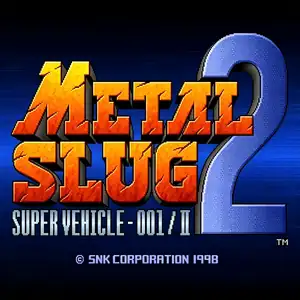
Metal Slug 2: Super Vehicle 001/II
Über dieses Spiel
Metal Slug 2: Super Vehicle‑001/II is a classic run‑and‑gun arcade shooter developed by Nazca and published by SNK, released for Neo‑Geo MVS arcade hardware in February 1998. As the second mainline entry in the Metal Slug franchise, it builds directly upon the story and gameplay of the original Metal Slug. Set two years after the first game, General Morden rebuilds his rebel army and forms an alliance with alien Mars people to launch a new global offensive. Two new female playable characters, Eri Kasamoto and Fio Germi, join returning heroes Marco Rossi and Tarma Roving, with full two‑player co‑op support. Across six missions, players travel through deserts, cities, fortresses and alien motherships, manning new vehicles such as the Camel Slug and Slug Flyer, and wield powerful weapons including flame shots and laser guns. It introduces iconic transformation mechanics: poison gas can turn players into slow‑moving mummies, while over‑eating triggers comical fat‑body status effects. It retains the series’ famous hand‑drawn pixel art, explosive visual effects and humorous prisoner‑rescue easter eggs. The original arcade release suffered from frequent slowdown on native hardware, which was fixed in the revised enhanced title Metal Slug X. Later ported to Neo‑Geo AES, PlayStation and modern compilations. Original arcade ROM can be played via MAME emulators, and it remains one of the most beloved arcade shooting classics.
- Erscheinungsjahr
- 1998
- Entwickler
- Spieler
- 2 Spieler
- Unterstützte Sprachen
- English
Häufige Fragen
- Wie kann ich Metal Slug 2: Super Vehicle 001/II spielen?
- Du kannst Metal Slug 2: Super Vehicle 001/II kostenlos und online direkt in deinem Browser auf 8BitGo spielen. Es ist kein Download oder Emulator nötig.
- Für welche Plattform ist Metal Slug 2: Super Vehicle 001/II?
- 8BitGo ordnet diese Version als Arcade ein. Das beschreibt die Laufzeit auf dieser Website und kann von der ursprünglichen Veröffentlichungsplattform abweichen. Du kannst direkt im Browser spielen.
- Kann ich meinen Fortschritt in Metal Slug 2: Super Vehicle 001/II speichern?
- Die Speicherfunktion hängt von der Laufzeit des Spiels ab. Schnell- und Cloud-Speichern sind nur verfügbar, wenn die Spielerleiste eine Speicherfunktion zeigt; andernfalls nutze die Speicherfunktion des Spiels.
- Funktioniert Metal Slug 2: Super Vehicle 001/II auf dem Handy?
- Das hängt vom Spiel ab. Prüfe die Steuerung auf dieser Seite: Spiele mit Bildschirmtasten funktionieren per Touch, Spiele mit Tastatur und Maus am besten am Computer.
Steuerung
Das sind die Standardtasten. Jedes Arcade-Board hat unterschiedlich viele Tasten und meint Unterschiedliches damit. Oben stehen die Tasten 1–6 des Boards: auf Neo Geo (The King of Fighters und Co.) sind A/B/C/D die Tasten 1–4, Metal Slug nutzt nur 1, 2 und 4 (Schuss / Sprung / Granate), und Pac-Man gar keine. Sechs-Tasten-Prügler mit drei Schlägen und drei Tritten (etwa Street Fighter II) bekommen vom Kern ein anderes Layout: leichter Schlag U, mittlerer Schlag I, schwerer Schlag Q, leichter Tritt J, mittlerer Tritt K, schwerer Tritt E. Klicke im Player auf das Gamepad-Symbol 🎮 und dann auf „Tasten belegen“, um die Tastenbelegung des Emulators zu öffnen (Tastatur und Gamepad, wird automatisch gespeichert). Gamepads werden automatisch erkannt. Auf dem Handy bekommst du Bildschirmtasten.
Steuerkreuz
W S A D
Taste 1
J
Taste 2
K
Taste 3
U
Taste 4
I
Taste 5
E
Taste 6
Q
Münze einwerfen
V
Start
Enter
Schnellspeichern
F2
Schnellladen
F4
Das könnte dir auch gefallen
Gleiche Plattform, gleiches Genre oder vom selben Entwickler
 ARCADE
Metal Slug: Super Vehicle-001
Cadillacs and Dinosaurs
 ARCADE
Metal Slug 3
 ARCADE
Warriors of Fate
 ARCADE
Metal Slug X: Super Vehicle 001
 ARCADE
Double Dragon II - The Revenge
The King of Fighters ’97
 ARCADE