
Die Altersanforderung dieses Spiels wird geprüft…
Über dieses Spiel
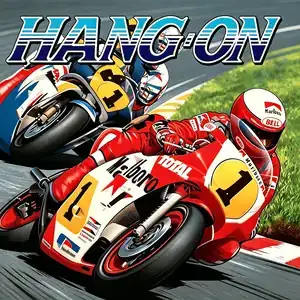
Hang-On (ハングオン) is an arcade motorcycle racing game developed by Sega AM2 under director Yu Suzuki, released July 1985. It is the groundbreaking first entry of Sega's taikan arcade series and the very first motorcycle racing game to feature a deluxe motion cabinet. Powered by the pioneering Super Scaler pseudo-3D scaling graphics technology, players straddle a full-size motorcycle replica and lean their body to steer into turns — the game title "Hang-On" refers to the racing technique of leaning into corners. The core gameplay is time-trial racing: surpass rival riders, avoid roadside obstacles and reach checkpoints to extend the countdown timer. The pseudo-3D scaled visuals create a powerful sense of speed as mountains, guardrails and vegetation rush past. The soundtrack, composed by Sega legend Hiroshi Kawaguchi, features driving electronic rock that syncs with race pacing. It was a massive commercial and critical hit, later ported to Master System, SG-1000, MSX, Commodore 64, ZX Spectrum and Amstrad CPC. It spawned the 1987 sequel Super Hang-On. The arcade ROM is playable via MAME emulator, a landmark title in arcade motion-control history and an early masterpiece by Yu Suzuki.
- Erscheinungsjahr
- 1985
- Entwickler
- Spieler
- Einzelspieler
- Unterstützte Sprachen
- English
Häufige Fragen
- Wie kann ich Hang-On spielen?
- Du kannst Hang-On kostenlos und online direkt in deinem Browser auf 8BitGo spielen. Es ist kein Download oder Emulator nötig.
- Für welche Plattform ist Hang-On?
- 8BitGo ordnet diese Version als Arcade ein. Das beschreibt die Laufzeit auf dieser Website und kann von der ursprünglichen Veröffentlichungsplattform abweichen. Du kannst direkt im Browser spielen.
- Kann ich meinen Fortschritt in Hang-On speichern?
- Die Speicherfunktion hängt von der Laufzeit des Spiels ab. Schnell- und Cloud-Speichern sind nur verfügbar, wenn die Spielerleiste eine Speicherfunktion zeigt; andernfalls nutze die Speicherfunktion des Spiels.
- Funktioniert Hang-On auf dem Handy?
- Das hängt vom Spiel ab. Prüfe die Steuerung auf dieser Seite: Spiele mit Bildschirmtasten funktionieren per Touch, Spiele mit Tastatur und Maus am besten am Computer.
Steuerung
Das sind die Standardtasten. Jedes Arcade-Board hat unterschiedlich viele Tasten und meint Unterschiedliches damit. Oben stehen die Tasten 1–6 des Boards: auf Neo Geo (The King of Fighters und Co.) sind A/B/C/D die Tasten 1–4, Metal Slug nutzt nur 1, 2 und 4 (Schuss / Sprung / Granate), und Pac-Man gar keine. Sechs-Tasten-Prügler mit drei Schlägen und drei Tritten (etwa Street Fighter II) bekommen vom Kern ein anderes Layout: leichter Schlag U, mittlerer Schlag I, schwerer Schlag Q, leichter Tritt J, mittlerer Tritt K, schwerer Tritt E. Klicke im Player auf das Gamepad-Symbol 🎮 und dann auf „Tasten belegen“, um die Tastenbelegung des Emulators zu öffnen (Tastatur und Gamepad, wird automatisch gespeichert). Gamepads werden automatisch erkannt. Auf dem Handy bekommst du Bildschirmtasten.
Steuerkreuz
W S A D
Taste 1
J
Taste 2
K
Taste 3
U
Taste 4
I
Taste 5
E
Taste 6
Q
Münze einwerfen
V
Start
Enter
Schnellspeichern
F2
Schnellladen
F4
Das könnte dir auch gefallen
Gleiche Plattform, gleiches Genre oder vom selben Entwickler
 PSP
PSPHatsune Miku: Project DIVA
 ARCADE
Super Hang-On
 ARCADE
Turbo Out Run
 ARCADE
Big Run
 ARCADE
Chase H.Q.
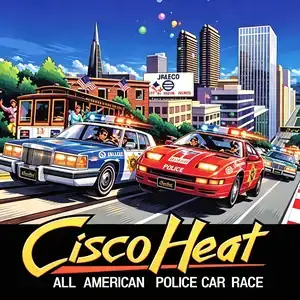 ARCADE