
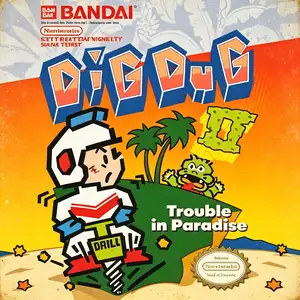
Die Altersanforderung dieses Spiels wird geprüft…
Dig Dug 2
Über dieses Spiel
Dig Dug 2, also known as Dig Dug II, was developed by Namco. The arcade version launched in 1985 and was ported to Famicom / NES in 1986 as the direct sequel to the original Dig Dug. Ditching the underground tunnel‑digging gameplay of its predecessor, the game takes place on ocean‑surrounded islands. Instead of digging tunnels, the protagonist shakes land sections to create cracks, sending monsters falling into the sea. Returning foes Pooka and Fygar appear alongside brand‑new enemy types. Players can inflate enemies with the air pump or shake the ground to open fissures that swallow monsters. Volcanic eruptions hurl rocks across the island as an extra hazard. Clear every enemy on the island to complete a stage, with alternating two‑player high‑score mode available. Compared with the original Dig Dug, Dig Dug 2 delivers a major shift in visuals and mechanics by removing underground digging entirely. The NES port faithfully brings over arcade content and keeps the series’ recognizable chiptune audio. Though less famous than the first title, it remains a creative Namco arcade‑to‑console port from the mid‑1980s, fully playable via modern emulators.
- Erscheinungsjahr
- 1986
- Entwickler
- Spieler
- Einzelspieler
- Unterstützte Sprachen
- 简体中文 · English · 日本語
Häufige Fragen
- Wie kann ich Dig Dug 2 spielen?
- Du kannst Dig Dug 2 kostenlos und online direkt in deinem Browser auf 8BitGo spielen. Es ist kein Download oder Emulator nötig.
- Für welche Plattform ist Dig Dug 2?
- 8BitGo ordnet diese Version als NES (Famicom) ein. Das beschreibt die Laufzeit auf dieser Website und kann von der ursprünglichen Veröffentlichungsplattform abweichen. Du kannst direkt im Browser spielen.
- Kann ich meinen Fortschritt in Dig Dug 2 speichern?
- Die Speicherfunktion hängt von der Laufzeit des Spiels ab. Schnell- und Cloud-Speichern sind nur verfügbar, wenn die Spielerleiste eine Speicherfunktion zeigt; andernfalls nutze die Speicherfunktion des Spiels.
- Funktioniert Dig Dug 2 auf dem Handy?
- Das hängt vom Spiel ab. Prüfe die Steuerung auf dieser Seite: Spiele mit Bildschirmtasten funktionieren per Touch, Spiele mit Tastatur und Maus am besten am Computer.
Steuerung
Das sind die Standardtasten. Klicke im Player auf das Gamepad-Symbol 🎮 und dann auf „Tasten belegen“, um die Tastenbelegung des Emulators zu öffnen (Tastatur und Gamepad, wird automatisch gespeichert). Gamepads werden automatisch erkannt. Auf dem Handy bekommst du Bildschirmtasten.
Steuerkreuz
W S A D
A
K
B
J
Start
Enter
Select
Shift
Schnellspeichern
F2
Schnellladen
F4
Das könnte dir auch gefallen
Gleiche Plattform, gleiches Genre oder vom selben Entwickler
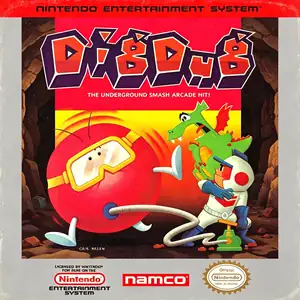 NES
NESDig Dug
 GBA
GBATales of the World: Narikiri Dungeon 3
 NES
NESSaiyuuki World 2 - Tenjoukai no Majin
 NES
NESSuper Mario Bros.
Contra
 NES
NESSuper Mario Bros.3
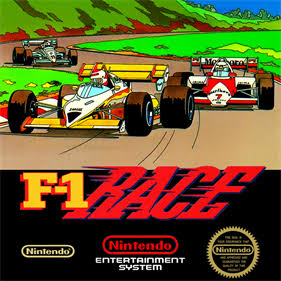 NES
NESF1 Race
 NES
NES