
このゲームの年齢制限を確認しています…
ゲーム紹介
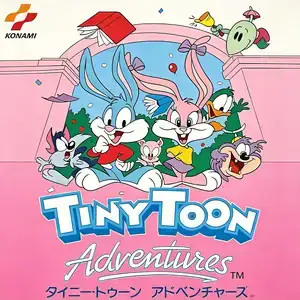
Tiny Toon Adventures, known to Chinese retro gamers as Rabbit Baby Adventure, is a side-scrolling platformer developed and published by Konami, released for Famicom in December 1991. It is adapted from the classic Warner Bros animated series Tiny Toon Adventures. The villain Montana Max kidnaps Babs Bunny, and the protagonist Buster Bunny embarks on an adventure to rescue her. Its core gameplay highlight: at the start of each stage, players pick one of three animal companions for transformation. Plucky the duck glides over wide pits; Hamton the dog spins into an invincible tornado to wipe nearby foes; Furrball the cat climbs vertical walls. Pop balloons and collect star items to activate transformation. Gather carrots as collectibles; 99 carrots unlock a spaceship bonus stage for extra lives. There are six themed worlds including forest, desert, swamp, factory, snow mountain and enemy fortress, each ending with a unique boss. One famous hazard is the heart girl; getting caught by her sends you back to the start of the stage. The player character dies in one hit. The game starts easy with cute cartoon visuals, but the later stages feature tough jumps and aggressive enemies, greatly raising difficulty. It includes well-known cheat codes for stage select and invincibility. It features bright pixel art and cheerful soundtrack. In China, pirated multicarts falsely labelled it Super Mario Bros 6. Widely distributed on Subor multicarts, it remains a beloved cartoon-style Famicom platformer for retro game fans.
- 発売年
- 1990
- 開発会社
- プレイ人数
- 1 人用
- 対応言語
- 简体中文 · English · 日本語
よくある質問
- Tiny Toon Adventures はどうやって遊べますか?
- 8BitGo ならブラウザでそのまま無料オンラインプレイでき、ダウンロードやエミュレーターのインストールは不要です。
- Tiny Toon Adventures はどのプラットフォームのゲームですか?
- 8BitGo ではこのバージョンを ファミコン として分類しています。これは当サイトでの実行方式を示すもので、元の発売プラットフォームとは異なる場合があります。ブラウザですぐ遊べます。
- Tiny Toon Adventures の進行状況は保存できますか?
- セーブ対応はゲームの実行方式によって異なります。プレイヤーのツールバーにセーブ操作が表示される場合のみ、クイックセーブやクラウドセーブを利用できます。それ以外はゲーム内の保存機能を使ってください。
- Tiny Toon Adventures はスマホでも遊べますか?
- ゲームによって異なります。このページの操作説明を確認してください。画面内ボタンがあるゲームはタッチ操作に対応し、キーボードとマウスが必要なゲームは PC 向けです。
操作方法
以下はデフォルトのキー配置です。 プレイヤー下部のゲームパッドアイコン 🎮 →「キー設定」で、エミュレーター本体のボタン設定を開けます(キーボードとゲームパッドの両方、自動保存)。 ゲームパッドは自動で認識されます。 スマートフォンでは画面上にボタンが表示されます。
十字キー
W S A D
A
K
B
J
Start
Enter
Select
Shift
クイックセーブ
F2
クイックロード
F4
こちらもおすすめ
同じゲーム機・同じジャンル・同じ開発会社の作品
 DOS
DOSAge of Empires
 NES
NESSuper Mario Bros.3
 NDS
NDSPlants vs. Zombies
 NES
NESCircus Charlie
 NES
NESGomoku Narabe Renju
 NDS
NDSGrand Theft Auto: Chinatown Wars
 GBA
GBAThe King of Fighters EX: Neo Blood
 ARCADE