このゲームの年齢制限を確認しています…
The Legend of Zelda: Link’s Awakening
ゲーム紹介
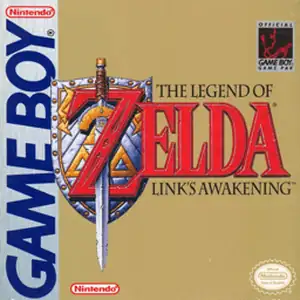
The Legend of Zelda: Link's Awakening (Japanese: Zelda no Densetsu: Yume o Miru Shima) is an action-adventure game developed by Nintendo R&D1 and released for the Game Boy in 1993. It marks the first handheld mainline entry and the fourth core title in The Legend of Zelda series. The story does not take place in Hyrule, and Princess Zelda does not appear in this game. After a shipwreck during his voyage, Link wakes up on the mysterious Koholint Island, where everything exists within a dream. To escape, Link must explore eight dungeons, collect eight Siren Instruments, and awaken the slumbering Wind Fish. It retains classic Zelda gameplay of action combat, puzzle solving and open-world exploration. Players obtain items such as Roc’s Feather for jumping and Power Bracelet to lift heavy objects, with many secret areas and heart pieces hidden across the map. The game features fun crossover cameos from other Nintendo franchises including Mario, Yoshi and Goombas. An enhanced color remake, Link's Awakening DX, launched for Game Boy Color in 1998 with an exclusive bonus dungeon. With brilliant dungeon design and a poetic, bittersweet ending, it is widely regarded as one of the greatest retro handheld adventures of all time.
- 発売年
- 1993
- 開発会社
- プレイ人数
- 1 人用
- 対応言語
- English · Français · Deutsch · Español
よくある質問
- The Legend of Zelda: Link’s Awakening はどうやって遊べますか?
- 8BitGo ならブラウザでそのまま無料オンラインプレイでき、ダウンロードやエミュレーターのインストールは不要です。
- The Legend of Zelda: Link’s Awakening はどのプラットフォームのゲームですか?
- 8BitGo ではこのバージョンを Game Boy として分類しています。これは当サイトでの実行方式を示すもので、元の発売プラットフォームとは異なる場合があります。ブラウザですぐ遊べます。
- The Legend of Zelda: Link’s Awakening の進行状況は保存できますか?
- セーブ対応はゲームの実行方式によって異なります。プレイヤーのツールバーにセーブ操作が表示される場合のみ、クイックセーブやクラウドセーブを利用できます。それ以外はゲーム内の保存機能を使ってください。
- The Legend of Zelda: Link’s Awakening はスマホでも遊べますか?
- ゲームによって異なります。このページの操作説明を確認してください。画面内ボタンがあるゲームはタッチ操作に対応し、キーボードとマウスが必要なゲームは PC 向けです。
操作方法
以下はデフォルトのキー配置です。 プレイヤー下部のゲームパッドアイコン 🎮 →「キー設定」で、エミュレーター本体のボタン設定を開けます(キーボードとゲームパッドの両方、自動保存)。 ゲームパッドは自動で認識されます。 スマートフォンでは画面上にボタンが表示されます。
十字キー
W S A D
A
K
B
J
Start
Enter
Select
Shift
クイックセーブ
F2
クイックロード
F4
こちらもおすすめ
同じゲーム機・同じジャンル・同じ開発会社の作品