このゲームの年齢制限を確認しています…
Gran Turismo
ゲーム紹介
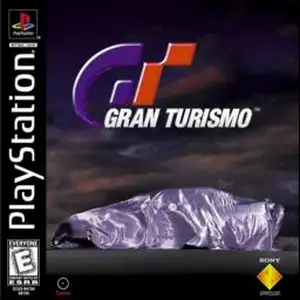
Gran Turismo (also known as GT1 or the first Gran Turismo) is a classic simulation racing game developed by Polyphony Digital and published by Sony Interactive Entertainment. It was released for the PlayStation 1 (PS1) console in December 1997 and serves as the debut title of the Gran Turismo series. Developed over five years, this landmark PS1 racing game impressed players with its realistic physics engine, a large roster of officially licensed cars and a complete racing progression system. Unlike arcade-style racing games of its era, Gran Turismo on PS1 focuses on authentic driving simulation. It simulates tire grip, suspension behaviour, vehicle weight balance and engine sound. Every car has distinct horsepower, braking and handling traits. Players cannot rely on crashing opponents to win and must drive following real-world racing principles. The game features two main modes. Arcade Mode lets players quickly pick cars and tracks for instant races, with multiplayer support for casual gameplay. Gran Turismo Mode, the main career experience, requires players to pass licence tests of different grades to unlock corresponding events. Earn prize money from races, purchase cars and upgrade engines, suspension, tyres and other parts, and grow from an amateur driver into a professional racer. The game includes more than 140 officially licensed vehicles from Japanese, European and American automakers, alongside multiple realistic race tracks. Its car shading, paint reflections and rich content were top-tier for the PS1 generation. Gran Turismo 1 sold nearly 11 million copies worldwide, making it one of the best-selling racing games on PS1. It established the franchise’s reputation as "The Real Driving Simulator" and heavily influenced future simulation racing games. It remains an essential classic for retro PS1 game fans.
- 発売年
- 1997
- 開発会社
- プレイ人数
- 1 人用
- 対応言語
- English
よくある質問
- Gran Turismo はどうやって遊べますか?
- 8BitGo ならブラウザでそのまま無料オンラインプレイでき、ダウンロードやエミュレーターのインストールは不要です。
- Gran Turismo はどのプラットフォームのゲームですか?
- 8BitGo ではこのバージョンを ソニー PlayStation として分類しています。これは当サイトでの実行方式を示すもので、元の発売プラットフォームとは異なる場合があります。ブラウザですぐ遊べます。
- Gran Turismo の進行状況は保存できますか?
- セーブ対応はゲームの実行方式によって異なります。プレイヤーのツールバーにセーブ操作が表示される場合のみ、クイックセーブやクラウドセーブを利用できます。それ以外はゲーム内の保存機能を使ってください。
- Gran Turismo はスマホでも遊べますか?
- ゲームによって異なります。このページの操作説明を確認してください。画面内ボタンがあるゲームはタッチ操作に対応し、キーボードとマウスが必要なゲームは PC 向けです。
操作方法
以下はデフォルトのキー配置です。 プレイヤー下部のゲームパッドアイコン 🎮 →「キー設定」で、エミュレーター本体のボタン設定を開けます(キーボードとゲームパッドの両方、自動保存)。 ゲームパッドは自動で認識されます。 スマートフォンでは画面上にボタンが表示されます。
十字キー
W S A D
○
K
✕
J
△
I
□
U
L1
Q
R1
E
L2
Tab
R2
R
左スティック
T G F H
右スティック
↑ ↓ ← →
Start
Enter
Select
Shift
クイックセーブ
F2
クイックロード
F4
こちらもおすすめ
同じゲーム機・同じジャンル・同じ開発会社の作品