
このゲームの年齢制限を確認しています…
ゲーム紹介
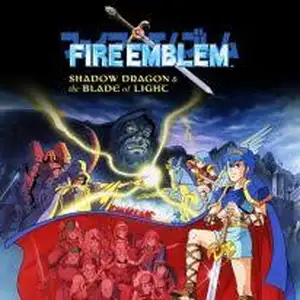
Fire Emblem: Shadow Dragon and the Blade of Light is the original tactical role-playing game developed by Intelligent Systems and published by Nintendo for Famicom in 1990, the first title of Fire Emblem franchise and the pioneer of SRPG genre. Set on the continent of Archanea, the Shadow Dragon Medeus revives the Dolhr Empire with the dark priest Gharnef and invades the whole continent. Prince Marth of Altea loses his homeland and goes into exile. He gathers allies, seeks the holy sword Falchion, and fights to overthrow the dark empire and restore his kingdom. The game established all core Fire Emblem rules: grid turn-based battles, permadeath, weapon durability, class advantages, random stat growth and recruitable units via battlefield conversations. Players deploy varied unit types including mobile cavaliers, long-range archers and heavily armored knights, making good use of terrain bonuses. It was originally released only in Japan, and got a worldwide release on Nintendo Switch in 2020. Despite simple 8-bit graphics, it features deep tactical gameplay and epic story, influencing countless later tactical games. Marth also appeared in the original Super Smash Bros. A full remake named Shadow Dragon was later released on Nintendo DS.
- 発売年
- 1990
- 開発会社
- プレイ人数
- 1 人用
- 対応言語
- 简体中文 · English · 日本語
よくある質問
- Fire Emblem: Shadow Dragon and the Blade of Light はどうやって遊べますか?
- 8BitGo ならブラウザでそのまま無料オンラインプレイでき、ダウンロードやエミュレーターのインストールは不要です。
- Fire Emblem: Shadow Dragon and the Blade of Light はどのプラットフォームのゲームですか?
- 8BitGo ではこのバージョンを ファミコン として分類しています。これは当サイトでの実行方式を示すもので、元の発売プラットフォームとは異なる場合があります。ブラウザですぐ遊べます。
- Fire Emblem: Shadow Dragon and the Blade of Light の進行状況は保存できますか?
- セーブ対応はゲームの実行方式によって異なります。プレイヤーのツールバーにセーブ操作が表示される場合のみ、クイックセーブやクラウドセーブを利用できます。それ以外はゲーム内の保存機能を使ってください。
- Fire Emblem: Shadow Dragon and the Blade of Light はスマホでも遊べますか?
- ゲームによって異なります。このページの操作説明を確認してください。画面内ボタンがあるゲームはタッチ操作に対応し、キーボードとマウスが必要なゲームは PC 向けです。
操作方法
以下はデフォルトのキー配置です。 プレイヤー下部のゲームパッドアイコン 🎮 →「キー設定」で、エミュレーター本体のボタン設定を開けます(キーボードとゲームパッドの両方、自動保存)。 ゲームパッドは自動で認識されます。 スマートフォンでは画面上にボタンが表示されます。
十字キー
W S A D
A
K
B
J
Start
Enter
Select
Shift
クイックセーブ
F2
クイックロード
F4
こちらもおすすめ
同じゲーム機・同じジャンル・同じ開発会社の作品
 DOS
DOSAge of Empires
 NES
NESSuper Mario Bros.3
 NDS
NDSPlants vs. Zombies
 NES
NESCircus Charlie
 NES
NESGomoku Narabe Renju
 NDS
NDSGrand Theft Auto: Chinatown Wars
 GBA
GBAThe King of Fighters EX: Neo Blood
 ARCADE