
このゲームの年齢制限を確認しています…
ゲーム紹介
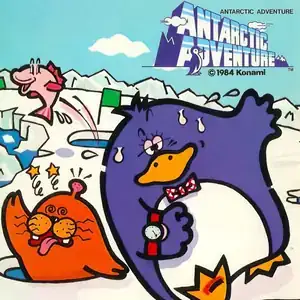
Antarctic Adventure (Japanese: Kekkyoku Nankyoku Daibōken) is a pseudo-3D rear-view racing action game developed and published by Konami. It originally launched for MSX in 1983 and was ported to Famicom in 1985. Players control Penta the penguin, Konami’s classic mascot character. The goal is to arrive at successive international research stations scattered across Antarctica before the timer runs out, completing a voyage around the continent. Using a trailing third-person perspective, up and down adjust speed, left and right move horizontally, and A/B buttons trigger jumps. The path is filled with ice crevasses and sea lions leaping from holes. Collisions make Penta stumble and lose precious time. There is no health system; the game only ends once the timer hits zero. Collect jumping fish for bonus points. Flashing flags grant a temporary propeller power-up to fly over gaps. There are 10 stages, each representing a different nation’s polar base, with the corresponding national flag raised upon arrival. After clearing all ten levels, the game loops into a harder second cycle with shorter time limits. Its soundtrack uses the famous Skater’s Waltz, a catchy timeless tune. Originally designed with geography education in mind, it was widely included on Subor multicarts and remains one of the most recognizable nostalgic Famicom games among Chinese retro gamers.
- 発売年
- 1990
- 開発会社
- プレイ人数
- 1 人用
- 対応言語
- 简体中文 · English · Español
よくある質問
- Antarctic Adventure はどうやって遊べますか?
- 8BitGo ならブラウザでそのまま無料オンラインプレイでき、ダウンロードやエミュレーターのインストールは不要です。
- Antarctic Adventure はどのプラットフォームのゲームですか?
- 8BitGo ではこのバージョンを ファミコン として分類しています。これは当サイトでの実行方式を示すもので、元の発売プラットフォームとは異なる場合があります。ブラウザですぐ遊べます。
- Antarctic Adventure の進行状況は保存できますか?
- セーブ対応はゲームの実行方式によって異なります。プレイヤーのツールバーにセーブ操作が表示される場合のみ、クイックセーブやクラウドセーブを利用できます。それ以外はゲーム内の保存機能を使ってください。
- Antarctic Adventure はスマホでも遊べますか?
- ゲームによって異なります。このページの操作説明を確認してください。画面内ボタンがあるゲームはタッチ操作に対応し、キーボードとマウスが必要なゲームは PC 向けです。
操作方法
以下はデフォルトのキー配置です。 プレイヤー下部のゲームパッドアイコン 🎮 →「キー設定」で、エミュレーター本体のボタン設定を開けます(キーボードとゲームパッドの両方、自動保存)。 ゲームパッドは自動で認識されます。 スマートフォンでは画面上にボタンが表示されます。
十字キー
W S A D
A
K
B
J
Start
Enter
Select
Shift
クイックセーブ
F2
クイックロード
F4
こちらもおすすめ
同じゲーム機・同じジャンル・同じ開発会社の作品
 DOS
DOSAge of Empires
 NES
NESSuper Mario Bros.3
 NDS
NDSPlants vs. Zombies
 NES
NESCircus Charlie
 NES
NESGomoku Narabe Renju
 NDS
NDSGrand Theft Auto: Chinatown Wars
 GBA
GBAThe King of Fighters EX: Neo Blood
 ARCADE