
このゲームの年齢制限を確認しています…
ゲーム紹介
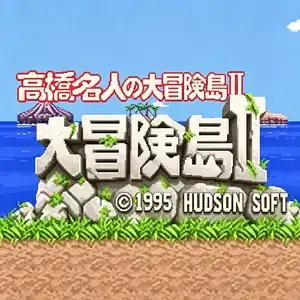
Takahashi Meijin no Bōken Jima II, known overseas as Adventure Island 2, is a side-scrolling platformer developed and published by Hudson Soft, released for Famicom in 1991. It is the direct sequel to the original Adventure Island and marks a major evolution of the franchise. The story continues as Tina, the hero’s girlfriend, is kidnapped again by alien foes. Master Higgins travels across eight islands to rescue her. The most iconic new feature is four rideable dinosaur companions with unique abilities: the red dinosaur breathes fire and safely traverses lava and poison swamp; the blue dinosaur attacks with lightning and never slips on ice; the water dinosaur dives freely in underwater zones; the pterosaur enables short-distance flight to cross wide gaps. It retains the classic stamina system, requiring players to collect fruits and milk to stay alive. An inventory storage system is newly added. Weapons including stone axes, boomerangs, skateboards and dinosaurs can be stored and switched freely instead of activating immediately upon pickup. The game contains 8 worlds with a total of 33 stages, each world featuring its own unique boss. Environments range from jungles and glaciers to volcanoes, deep sea and caves. A stage select cheat code is available, plus many hidden bonus stages. Overall difficulty is reduced compared to the first entry, and dinosaurs greatly improve survivability. It features upgraded pixel graphics and enhanced soundtrack. Widely distributed on Subor multicarts in China, it is one of the most famous classic Famicom action platformers.
- 発売年
- 1990
- 開発会社
- プレイ人数
- 1 人用
- 対応言語
- 简体中文 · English · Español
よくある質問
- Adventure Island 2 はどうやって遊べますか?
- 8BitGo ならブラウザでそのまま無料オンラインプレイでき、ダウンロードやエミュレーターのインストールは不要です。
- Adventure Island 2 はどのプラットフォームのゲームですか?
- 8BitGo ではこのバージョンを ファミコン として分類しています。これは当サイトでの実行方式を示すもので、元の発売プラットフォームとは異なる場合があります。ブラウザですぐ遊べます。
- Adventure Island 2 の進行状況は保存できますか?
- セーブ対応はゲームの実行方式によって異なります。プレイヤーのツールバーにセーブ操作が表示される場合のみ、クイックセーブやクラウドセーブを利用できます。それ以外はゲーム内の保存機能を使ってください。
- Adventure Island 2 はスマホでも遊べますか?
- ゲームによって異なります。このページの操作説明を確認してください。画面内ボタンがあるゲームはタッチ操作に対応し、キーボードとマウスが必要なゲームは PC 向けです。
操作方法
以下はデフォルトのキー配置です。 プレイヤー下部のゲームパッドアイコン 🎮 →「キー設定」で、エミュレーター本体のボタン設定を開けます(キーボードとゲームパッドの両方、自動保存)。 ゲームパッドは自動で認識されます。 スマートフォンでは画面上にボタンが表示されます。
十字キー
W S A D
A
K
B
J
Start
Enter
Select
Shift
クイックセーブ
F2
クイックロード
F4
こちらもおすすめ
同じゲーム機・同じジャンル・同じ開発会社の作品
 DOS
DOSAge of Empires
 NES
NESSuper Mario Bros.3
 NDS
NDSPlants vs. Zombies
 NES
NESCircus Charlie
 NES
NESGomoku Narabe Renju
 NDS
NDSGrand Theft Auto: Chinatown Wars
 GBA
GBAThe King of Fighters EX: Neo Blood
 ARCADE