
Verifica del requisito di età del gioco…
The King of Fighters ’98
Informazioni sul gioco
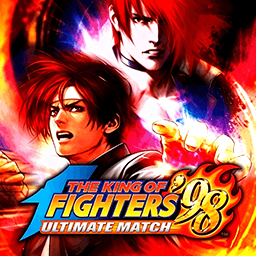
**The King of Fighters ’98: Dream Match Never Ends** is a legendary 2D fighting game released by SNK for Neo‑Geo arcade hardware in 1998. As a comprehensive compilation title of the Orochi saga, it is widely regarded as one of the greatest competitive fighting games for its outstanding character balance株式会社S.... This is a story‑free dream‑match crossover. It brings together fan‑favorite fighters from KOF 94 to KOF 97, including Kyo Kusanagi, Iori Yagami, Mai Shiranui and many more. Players assemble a three‑character team under the classic 3‑on‑3 team battle rule, set fight order freely, and compete by mastering combos and meter management. Omega Rugal serves as the final boss after clearing arcade mode. Two distinct gameplay systems are available, ADVANCED Mode and EXTRA Mode, with unique gauge building and evasion mechanics for varied playstyles. Compared with KOF 97, this entry fixes overpowered combos and glitches for fairer competitive matches, featuring a huge roster with alternate versions and secret unlockable fighters. An enhanced remastered version, **KOF 98 Ultimate Match**, expands playable characters and rebalances the whole cast. Up to now, The King of Fighters ’98 remains a staple retro fighting game for arcade emulators and offline tournaments.
- Anno di uscita
- 1998
- Sviluppatore
- Giocatori
- 2 giocatori
- Lingue supportate
- English
Domande frequenti
- Come posso giocare a The King of Fighters ’98?
- Puoi giocare a The King of Fighters ’98 online e gratuitamente direttamente nel tuo browser su 8BitGo. Non è richiesto alcun download né l'installazione di emulatori.
- Su quale piattaforma è The King of Fighters ’98?
- 8BitGo classifica questa versione come Arcade. Questo descrive come viene eseguita qui e può differire dalla piattaforma di uscita originale. Puoi giocare direttamente nel browser.
- Posso salvare i miei progressi in The King of Fighters ’98?
- Il supporto ai salvataggi dipende da come viene eseguito il gioco. Salvataggi rapidi e cloud sono disponibili solo se la barra del player mostra il relativo comando; altrimenti usa il salvataggio interno del gioco.
- The King of Fighters ’98 funziona su mobile?
- Dipende dal gioco. Controlla i comandi in questa pagina: i giochi con pulsanti su schermo funzionano via touch, mentre quelli con tastiera e mouse sono più adatti al computer.
Comandi
Questi sono i tasti predefiniti. Ogni scheda arcade ha un numero di tasti diverso e attribuisce loro significati diversi. Sopra trovi i tasti da 1 a 6 della scheda: sulle Neo Geo (The King of Fighters e affini) A/B/C/D sono i tasti 1–4, Metal Slug usa solo 1, 2 e 4 (sparo / salto / granata) e Pac-Man non ne usa nessuno. I picchiaduro a sei tasti con tre pugni e tre calci (Street Fighter II e simili) ricevono dal core un altro schema: pugno debole U, pugno medio I, pugno forte Q, calcio debole J, calcio medio K, calcio forte E. Fai clic sull’icona del gamepad 🎮 nella barra del player, poi su «Rimappa i tasti» per aprire le impostazioni dei controlli dell’emulatore (tastiera e gamepad, salvate automaticamente). I gamepad vengono rilevati in automatico. Su smartphone compaiono i pulsanti a schermo.
Croce direzionale
W S A D
Tasto 1
J
Tasto 2
K
Tasto 3
U
Tasto 4
I
Tasto 5
E
Tasto 6
Q
Inserisci moneta
V
Start
Enter
Salvataggio rapido
F2
Caricamento rapido
F4
Potrebbe piacerti anche
Stessa piattaforma, stesso genere o stesso sviluppatore
The King of Fighters ’97
 ARCADE
King Of Fighters 2002
 ARCADE
Metal Slug 3
 ARCADE
Metal Slug: Super Vehicle-001
 ARCADE
The King of Fighters 2000
 ARCADE
The King of Fighters 2001
 ARCADE
The King of Fighters 2003
 ARCADE