
Verifica del requisito di età del gioco…
Informazioni sul gioco
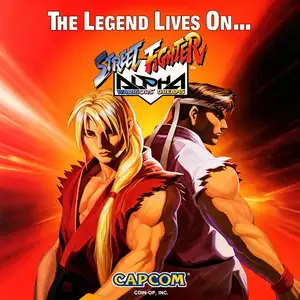
Street Fighter Alpha: Warriors' Dreams (known as Street Fighter Zero in Japan, also called Street Fighter Alpha 1) is an arcade fighting game released by Capcom in 1995 using the CPS2 arcade board. Set chronologically between the original Street Fighter and Street Fighter II, it serves as a prequel entry for the franchise. Playable fighters include returning characters Ryu, Ken, Chun-Li, Guile and Sagat, alongside new additions Adon, Charlie Nash, Rose and Dan. Akuma is available as an unlockable secret character. It introduced brand-new mechanics: Alpha Counter, air blocking and Custom Combo system. The visual art adopts a fresh hand-drawn cartoon style with softer character line art, different from the sharp aesthetics of Street Fighter II. The super gauge system is central to gameplay. Players fill the gauge to unleash Super Combos or activate Custom Combo free combo sequences. As the first title of the Street Fighter Alpha trilogy, the game redesigned character portraits and expanded the franchise backstory. It was later ported to PS, Saturn and PC platforms. Being the starting point of the Alpha series, it remains popular among retro fighting game enthusiasts.
- Anno di uscita
- 1995
- Sviluppatore
- Giocatori
- 2 giocatori
- Lingue supportate
- English
Domande frequenti
- Come posso giocare a Street Fighter Alpha: Warriors' Dreams?
- Puoi giocare a Street Fighter Alpha: Warriors' Dreams online e gratuitamente direttamente nel tuo browser su 8BitGo. Non è richiesto alcun download né l'installazione di emulatori.
- Su quale piattaforma è Street Fighter Alpha: Warriors' Dreams?
- 8BitGo classifica questa versione come Arcade. Questo descrive come viene eseguita qui e può differire dalla piattaforma di uscita originale. Puoi giocare direttamente nel browser.
- Posso salvare i miei progressi in Street Fighter Alpha: Warriors' Dreams?
- Il supporto ai salvataggi dipende da come viene eseguito il gioco. Salvataggi rapidi e cloud sono disponibili solo se la barra del player mostra il relativo comando; altrimenti usa il salvataggio interno del gioco.
- Street Fighter Alpha: Warriors' Dreams funziona su mobile?
- Dipende dal gioco. Controlla i comandi in questa pagina: i giochi con pulsanti su schermo funzionano via touch, mentre quelli con tastiera e mouse sono più adatti al computer.
Comandi
Questi sono i tasti predefiniti. Ogni scheda arcade ha un numero di tasti diverso e attribuisce loro significati diversi. Sopra trovi i tasti da 1 a 6 della scheda: sulle Neo Geo (The King of Fighters e affini) A/B/C/D sono i tasti 1–4, Metal Slug usa solo 1, 2 e 4 (sparo / salto / granata) e Pac-Man non ne usa nessuno. I picchiaduro a sei tasti con tre pugni e tre calci (Street Fighter II e simili) ricevono dal core un altro schema: pugno debole U, pugno medio I, pugno forte Q, calcio debole J, calcio medio K, calcio forte E. Fai clic sull’icona del gamepad 🎮 nella barra del player, poi su «Rimappa i tasti» per aprire le impostazioni dei controlli dell’emulatore (tastiera e gamepad, salvate automaticamente). I gamepad vengono rilevati in automatico. Su smartphone compaiono i pulsanti a schermo.
Croce direzionale
W S A D
Tasto 1
J
Tasto 2
K
Tasto 3
U
Tasto 4
I
Tasto 5
E
Tasto 6
Q
Inserisci moneta
V
Start
Enter
Salvataggio rapido
F2
Caricamento rapido
F4
Potrebbe piacerti anche
Stessa piattaforma, stesso genere o stesso sviluppatore
Cadillacs and Dinosaurs
 ARCADE
JoJo's Bizarre Adventure: Heritage for the Future
 ARCADE
Warriors of Fate
 ARCADE
Marvel Super Heroes vs Street Fighter
 ARCADE
Street Fighter Alpha 3
.webp) ARCADE
ARCADESuper Street Fighter II Turbo
 GBA
GBAPhoenix Wright: Ace Attorney
 ARCADE