
Verifica del requisito di età del gioco…
Street Fighter
Informazioni sul gioco
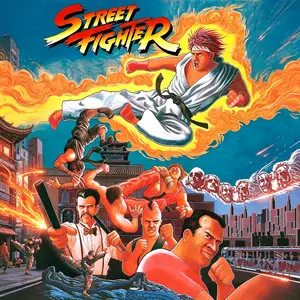
Street Fighter, the first game in the Street Fighter franchise, is a classic side-scrolling fighting game developed by Capcom and originally released in arcades in 1987. It is the pioneering title of the legendary Street Fighter series. The game features one-on-one combat. Players can pick between Ryu and Ken, traveling around the world to fight martial artists from different countries. It introduced three iconic special moves: Hadouken, Shoryuken and Tatsumaki Senpukyaku. Though input detection was clunky and special moves were hard to trigger, it established the special attack mechanic for fighting games. There are 8 world stages. After defeating regional fighters, players will face final bosses Sagat and Birdie. While its graphics and controls feel primitive by modern standards, Street Fighter defined the core gameplay of fighting games. It paved the way for Street Fighter 2 and countless later fighting titles, making it a landmark title in fighting game history.
- Anno di uscita
- 1987
- Sviluppatore
- Giocatori
- Giocatore singolo
- Lingue supportate
- English
Domande frequenti
- Come posso giocare a Street Fighter?
- Puoi giocare a Street Fighter online e gratuitamente direttamente nel tuo browser su 8BitGo. Non è richiesto alcun download né l'installazione di emulatori.
- Su quale piattaforma è Street Fighter?
- 8BitGo classifica questa versione come Arcade. Questo descrive come viene eseguita qui e può differire dalla piattaforma di uscita originale. Puoi giocare direttamente nel browser.
- Posso salvare i miei progressi in Street Fighter?
- Il supporto ai salvataggi dipende da come viene eseguito il gioco. Salvataggi rapidi e cloud sono disponibili solo se la barra del player mostra il relativo comando; altrimenti usa il salvataggio interno del gioco.
- Street Fighter funziona su mobile?
- Dipende dal gioco. Controlla i comandi in questa pagina: i giochi con pulsanti su schermo funzionano via touch, mentre quelli con tastiera e mouse sono più adatti al computer.
Comandi
Questi sono i tasti predefiniti. Ogni scheda arcade ha un numero di tasti diverso e attribuisce loro significati diversi. Sopra trovi i tasti da 1 a 6 della scheda: sulle Neo Geo (The King of Fighters e affini) A/B/C/D sono i tasti 1–4, Metal Slug usa solo 1, 2 e 4 (sparo / salto / granata) e Pac-Man non ne usa nessuno. I picchiaduro a sei tasti con tre pugni e tre calci (Street Fighter II e simili) ricevono dal core un altro schema: pugno debole U, pugno medio I, pugno forte Q, calcio debole J, calcio medio K, calcio forte E. Fai clic sull’icona del gamepad 🎮 nella barra del player, poi su «Rimappa i tasti» per aprire le impostazioni dei controlli dell’emulatore (tastiera e gamepad, salvate automaticamente). I gamepad vengono rilevati in automatico. Su smartphone compaiono i pulsanti a schermo.
Croce direzionale
W S A D
Tasto 1
J
Tasto 2
K
Tasto 3
U
Tasto 4
I
Tasto 5
E
Tasto 6
Q
Inserisci moneta
V
Start
Enter
Salvataggio rapido
F2
Caricamento rapido
F4
Potrebbe piacerti anche
Stessa piattaforma, stesso genere o stesso sviluppatore
Cadillacs and Dinosaurs
 ARCADE
JoJo's Bizarre Adventure: Heritage for the Future
 ARCADE
Warriors of Fate
 ARCADE
Marvel Super Heroes vs Street Fighter
 ARCADE
Street Fighter Alpha 3
.webp) ARCADE
ARCADESuper Street Fighter II Turbo
 GBA
GBAPhoenix Wright: Ace Attorney
 GB
GB