
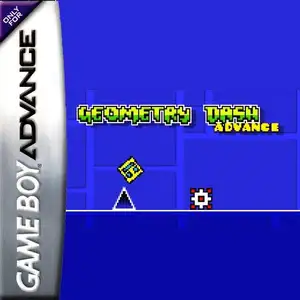
Die Altersanforderung dieses Spiels wird geprüft…
Geometry Dash Advance
Über dieses Spiel
Geometry Dash Advance is a fan-made GBA demake created by AleFunky, not an official Nintendo game. It ports the famous rhythm platformer Geometry Dash to the Game Boy Advance handheld console. The game keeps the core gameplay of the original work. Players control a cube icon that moves forward automatically, press the A button to jump in sync with electronic music beats and dodge spikes, saw blades and other hazards. Hitting any obstacle restarts the level instantly. It features classic auto-scrolling mode and platformer mode with free left-right movement. Portals transform your icon into ship, ball, UFO and other forms with unique physics. It supports practice mode with checkpoints, includes original main levels, many custom user levels and an endless randomly generated mode. Icon customization and music test screen are also available. It uses GBA pixel graphics to recreate the original geometric art style, and it is a popular fan ROM within retro handheld communities.
- Erscheinungsjahr
- 1990
- Entwickler
- Spieler
- Einzelspieler
- Unterstützte Sprachen
- English
Häufige Fragen
- Wie kann ich Geometry Dash Advance spielen?
- Du kannst Geometry Dash Advance kostenlos und online direkt in deinem Browser auf 8BitGo spielen. Es ist kein Download oder Emulator nötig.
- Für welche Plattform ist Geometry Dash Advance?
- 8BitGo ordnet diese Version als Game Boy Advance ein. Das beschreibt die Laufzeit auf dieser Website und kann von der ursprünglichen Veröffentlichungsplattform abweichen. Du kannst direkt im Browser spielen.
- Kann ich meinen Fortschritt in Geometry Dash Advance speichern?
- Die Speicherfunktion hängt von der Laufzeit des Spiels ab. Schnell- und Cloud-Speichern sind nur verfügbar, wenn die Spielerleiste eine Speicherfunktion zeigt; andernfalls nutze die Speicherfunktion des Spiels.
- Funktioniert Geometry Dash Advance auf dem Handy?
- Das hängt vom Spiel ab. Prüfe die Steuerung auf dieser Seite: Spiele mit Bildschirmtasten funktionieren per Touch, Spiele mit Tastatur und Maus am besten am Computer.
Steuerung
Das sind die Standardtasten. Klicke im Player auf das Gamepad-Symbol 🎮 und dann auf „Tasten belegen“, um die Tastenbelegung des Emulators zu öffnen (Tastatur und Gamepad, wird automatisch gespeichert). Gamepads werden automatisch erkannt. Auf dem Handy bekommst du Bildschirmtasten.
Steuerkreuz
W S A D
A
K
B
J
L
Q
R
E
Start
Enter
Select
Shift
Schnellspeichern
F2
Schnellladen
F4
Das könnte dir auch gefallen
Gleiche Plattform, gleiches Genre oder vom selben Entwickler
 GBA
GBAGrand Theft Auto:Advance
 GBA
GBASan Goku Shi
 GBA
GBAKirby & The Amazing Mirror
 GBA
GBAThe Legend of Zelda: The Minish Cap
 GBA
GBAThe Legend of Sword and Fairy
 GBA
GBAMario Kart: Super Circuit
 GBA
GBAChobits: Atashi Dake no Hito
 GBA
GBA