
このゲームの年齢制限を確認しています…
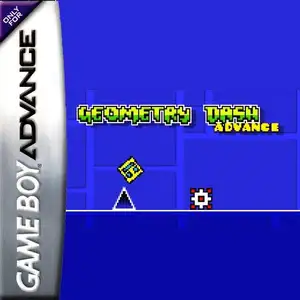
Geometry Dash Advance
ゲーム紹介
Geometry Dash Advance is a fan-made GBA demake created by AleFunky, not an official Nintendo game. It ports the famous rhythm platformer Geometry Dash to the Game Boy Advance handheld console. The game keeps the core gameplay of the original work. Players control a cube icon that moves forward automatically, press the A button to jump in sync with electronic music beats and dodge spikes, saw blades and other hazards. Hitting any obstacle restarts the level instantly. It features classic auto-scrolling mode and platformer mode with free left-right movement. Portals transform your icon into ship, ball, UFO and other forms with unique physics. It supports practice mode with checkpoints, includes original main levels, many custom user levels and an endless randomly generated mode. Icon customization and music test screen are also available. It uses GBA pixel graphics to recreate the original geometric art style, and it is a popular fan ROM within retro handheld communities.
- 発売年
- 1990
- 開発会社
- プレイ人数
- 1 人用
- 対応言語
- English
よくある質問
- Geometry Dash Advance はどうやって遊べますか?
- 8BitGo ならブラウザでそのまま無料オンラインプレイでき、ダウンロードやエミュレーターのインストールは不要です。
- Geometry Dash Advance はどのプラットフォームのゲームですか?
- 8BitGo ではこのバージョンを Game Boy Advance として分類しています。これは当サイトでの実行方式を示すもので、元の発売プラットフォームとは異なる場合があります。ブラウザですぐ遊べます。
- Geometry Dash Advance の進行状況は保存できますか?
- セーブ対応はゲームの実行方式によって異なります。プレイヤーのツールバーにセーブ操作が表示される場合のみ、クイックセーブやクラウドセーブを利用できます。それ以外はゲーム内の保存機能を使ってください。
- Geometry Dash Advance はスマホでも遊べますか?
- ゲームによって異なります。このページの操作説明を確認してください。画面内ボタンがあるゲームはタッチ操作に対応し、キーボードとマウスが必要なゲームは PC 向けです。
操作方法
以下はデフォルトのキー配置です。 プレイヤー下部のゲームパッドアイコン 🎮 →「キー設定」で、エミュレーター本体のボタン設定を開けます(キーボードとゲームパッドの両方、自動保存)。 ゲームパッドは自動で認識されます。 スマートフォンでは画面上にボタンが表示されます。
十字キー
W S A D
A
K
B
J
L
Q
R
E
Start
Enter
Select
Shift
クイックセーブ
F2
クイックロード
F4
こちらもおすすめ
同じゲーム機・同じジャンル・同じ開発会社の作品
 GBA
GBAGrand Theft Auto:Advance
 GBA
GBASan Goku Shi
 GBA
GBAKirby & The Amazing Mirror
 GBA
GBAThe Legend of Zelda: The Minish Cap
 GBA
GBAThe Legend of Sword and Fairy
 GBA
GBAMario Kart: Super Circuit
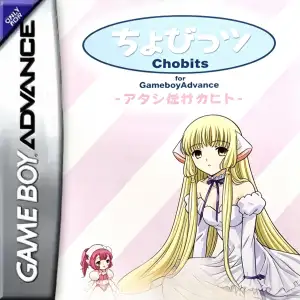 GBA
GBAChobits: Atashi Dake no Hito
 GBA
GBA