
Verifica del requisito di età del gioco…
Informazioni sul gioco
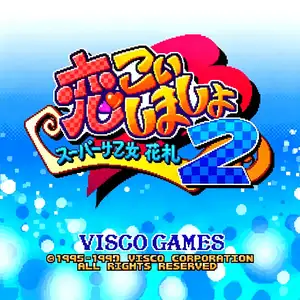
Koi Koi Shimasho 2‑Super Real Hanafuda (Japanese title: スーパーリアル花札 恋々しましょ 2) is a 1997 arcade card game developed and published by Visco Corporation, serving as the direct sequel to Koi Koi Shimasho. Released exclusively for Japanese arcades in December 1997, it implements the classic Japanese Koi‑Koi hanafuda card‑game rules. Players compete against eight anime‑styled female AI opponents, four returning from the original title alongside four brand‑new characters. Matches use the traditional 48‑card hanafuda deck. Participants collect matching cards from the field to form scoring Yaku combinations. After forming a valid Yaku, players may either settle points and end the round, or call “Koi‑Koi” to keep playing for bigger rewards while risking being overtaken by the opponent. Computer opponents feature distinct play‑styles and solid tactical logic. It features late‑90s Japanese anime‑style artwork and dialogue cut‑scenes. No official overseas release was ever published. The original arcade ROM can be emulated via MAME, standing as a notable retro hanafuda arcade title。
- Anno di uscita
- 1964
- Sviluppatore
- Giocatori
- Giocatore singolo
- Lingue supportate
- 日本語
Domande frequenti
- Come posso giocare a Koi Koi Shimasho 2 - Super Real Hanafuda?
- Puoi giocare a Koi Koi Shimasho 2 - Super Real Hanafuda online e gratuitamente direttamente nel tuo browser su 8BitGo. Non è richiesto alcun download né l'installazione di emulatori.
- Su quale piattaforma è Koi Koi Shimasho 2 - Super Real Hanafuda?
- 8BitGo classifica questa versione come Arcade. Questo descrive come viene eseguita qui e può differire dalla piattaforma di uscita originale. Puoi giocare direttamente nel browser.
- Posso salvare i miei progressi in Koi Koi Shimasho 2 - Super Real Hanafuda?
- Il supporto ai salvataggi dipende da come viene eseguito il gioco. Salvataggi rapidi e cloud sono disponibili solo se la barra del player mostra il relativo comando; altrimenti usa il salvataggio interno del gioco.
- Koi Koi Shimasho 2 - Super Real Hanafuda funziona su mobile?
- Dipende dal gioco. Controlla i comandi in questa pagina: i giochi con pulsanti su schermo funzionano via touch, mentre quelli con tastiera e mouse sono più adatti al computer.
Comandi
Questi sono i tasti predefiniti. Ogni scheda arcade ha un numero di tasti diverso e attribuisce loro significati diversi. Sopra trovi i tasti da 1 a 6 della scheda: sulle Neo Geo (The King of Fighters e affini) A/B/C/D sono i tasti 1–4, Metal Slug usa solo 1, 2 e 4 (sparo / salto / granata) e Pac-Man non ne usa nessuno. I picchiaduro a sei tasti con tre pugni e tre calci (Street Fighter II e simili) ricevono dal core un altro schema: pugno debole U, pugno medio I, pugno forte Q, calcio debole J, calcio medio K, calcio forte E. Fai clic sull’icona del gamepad 🎮 nella barra del player, poi su «Rimappa i tasti» per aprire le impostazioni dei controlli dell’emulatore (tastiera e gamepad, salvate automaticamente). I gamepad vengono rilevati in automatico. Su smartphone compaiono i pulsanti a schermo.
Croce direzionale
W S A D
Tasto 1
J
Tasto 2
K
Tasto 3
U
Tasto 4
I
Tasto 5
E
Tasto 6
Q
Inserisci moneta
V
Start
Enter
Salvataggio rapido
F2
Caricamento rapido
F4
Potrebbe piacerti anche
Stessa piattaforma, stesso genere o stesso sviluppatore
 ARCADE
JoJo's Bizarre Adventure: Heritage for the Future
 ARCADE
Warriors of Fate
 ARCADE
Knights of the Round
 ARCADE
Street Fighter III: 3rd Strike - Fight for the Future
 ARCADE
Marvel vs. Capcom: Clash of Super Heroes
 ARCADE
The King of Fighters 2000
 ARCADE
Raiden II
 ARCADE