Verifica del requisito di età del gioco…
Gran Turismo
Informazioni sul gioco
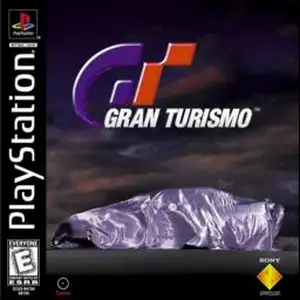
Gran Turismo (also known as GT1 or the first Gran Turismo) is a classic simulation racing game developed by Polyphony Digital and published by Sony Interactive Entertainment. It was released for the PlayStation 1 (PS1) console in December 1997 and serves as the debut title of the Gran Turismo series. Developed over five years, this landmark PS1 racing game impressed players with its realistic physics engine, a large roster of officially licensed cars and a complete racing progression system. Unlike arcade-style racing games of its era, Gran Turismo on PS1 focuses on authentic driving simulation. It simulates tire grip, suspension behaviour, vehicle weight balance and engine sound. Every car has distinct horsepower, braking and handling traits. Players cannot rely on crashing opponents to win and must drive following real-world racing principles. The game features two main modes. Arcade Mode lets players quickly pick cars and tracks for instant races, with multiplayer support for casual gameplay. Gran Turismo Mode, the main career experience, requires players to pass licence tests of different grades to unlock corresponding events. Earn prize money from races, purchase cars and upgrade engines, suspension, tyres and other parts, and grow from an amateur driver into a professional racer. The game includes more than 140 officially licensed vehicles from Japanese, European and American automakers, alongside multiple realistic race tracks. Its car shading, paint reflections and rich content were top-tier for the PS1 generation. Gran Turismo 1 sold nearly 11 million copies worldwide, making it one of the best-selling racing games on PS1. It established the franchise’s reputation as "The Real Driving Simulator" and heavily influenced future simulation racing games. It remains an essential classic for retro PS1 game fans.
- Anno di uscita
- 1997
- Sviluppatore
- Giocatori
- Giocatore singolo
- Lingue supportate
- English
Domande frequenti
- Come posso giocare a Gran Turismo?
- Puoi giocare a Gran Turismo online e gratuitamente direttamente nel tuo browser su 8BitGo. Non è richiesto alcun download né l'installazione di emulatori.
- Su quale piattaforma è Gran Turismo?
- 8BitGo classifica questa versione come Sony PlayStation. Questo descrive come viene eseguita qui e può differire dalla piattaforma di uscita originale. Puoi giocare direttamente nel browser.
- Posso salvare i miei progressi in Gran Turismo?
- Il supporto ai salvataggi dipende da come viene eseguito il gioco. Salvataggi rapidi e cloud sono disponibili solo se la barra del player mostra il relativo comando; altrimenti usa il salvataggio interno del gioco.
- Gran Turismo funziona su mobile?
- Dipende dal gioco. Controlla i comandi in questa pagina: i giochi con pulsanti su schermo funzionano via touch, mentre quelli con tastiera e mouse sono più adatti al computer.
Comandi
Questi sono i tasti predefiniti. Fai clic sull’icona del gamepad 🎮 nella barra del player, poi su «Rimappa i tasti» per aprire le impostazioni dei controlli dell’emulatore (tastiera e gamepad, salvate automaticamente). I gamepad vengono rilevati in automatico. Su smartphone compaiono i pulsanti a schermo.
Croce direzionale
W S A D
○
K
✕
J
△
I
□
U
L1
Q
R1
E
L2
Tab
R2
R
Stick sinistro
T G F H
Stick destro
↑ ↓ ← →
Start
Enter
Select
Shift
Salvataggio rapido
F2
Caricamento rapido
F4
Potrebbe piacerti anche
Stessa piattaforma, stesso genere o stesso sviluppatore