
Vérification de la limite d’âge de ce jeu…
À propos du jeu
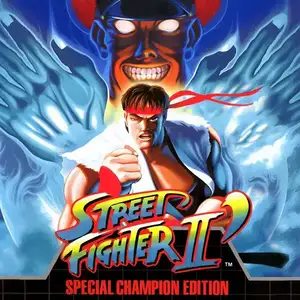
Street Fighter II': Champion Edition (known as Street Fighter II Dash in Japan, also called 12-character Street Fighter by Chinese players) is an arcade fighting game developed and released by Capcom in 1992. It is the first major upgraded version of Street Fighter II: The World Warrior, running on the CPS1 arcade hardware. The biggest update is making the four Shadaloo boss characters, M.Bison, Balrog, Sagat and Vega, playable. The character roster expands from 8 to 12 fighters. Mirror matches are supported for the first time, allowing two players to pick the same character with alternative colour palettes to tell them apart. Capcom also rebalanced moves and hitboxes for the original eight fighters, adjusted background art and colours, and refined core fighting mechanics such as combos and hit stun. The game keeps the iconic six-button control layout. Players take control of fighters from all over the world and compete in an international martial arts tournament using special moves and combos. Champion Edition flooded arcades across China and became the most well-known Street Fighter II version for local players. It pushed the global arcade fighting boom of the 90s to new heights and laid the foundation for early competitive fighting games. It was later ported to home consoles including SNES and Sega Mega Drive.
- Année de sortie
- 1990
- Développeur
- Joueurs
- 2 joueurs
- Langues prises en charge
- English
FAQ
- Comment jouer à Street Fighter II': Champion Edition ?
- Vous pouvez jouer à Street Fighter II': Champion Edition en ligne et gratuitement directement dans votre navigateur sur 8BitGo. Aucun téléchargement ni installation d'émulateur n'est nécessaire.
- Sur quelle plateforme est Street Fighter II': Champion Edition ?
- 8BitGo classe cette version dans la catégorie Arcade. Cela décrit son mode d'exécution ici et peut différer de la plateforme de sortie d'origine. Vous pouvez jouer directement dans le navigateur.
- Puis-je sauvegarder ma progression dans Street Fighter II': Champion Edition ?
- La sauvegarde dépend du mode d'exécution du jeu. Les sauvegardes rapides et cloud ne sont disponibles que si la barre du lecteur affiche une commande de sauvegarde ; sinon, utilisez la sauvegarde intégrée au jeu.
- Street Fighter II': Champion Edition fonctionne-t-il sur mobile ?
- Cela dépend du jeu. Consultez les commandes sur cette page : les jeux avec boutons à l'écran fonctionnent au tactile, tandis que les jeux au clavier et à la souris sont mieux adaptés à un ordinateur.
Commandes
Voici les touches par défaut. Chaque carte d’arcade a un nombre de boutons différent et leur donne un sens différent. Les lignes ci-dessus sont les boutons 1 à 6 de la carte : sur Neo Geo (The King of Fighters et compagnie) A/B/C/D sont les boutons 1 à 4, Metal Slug n’utilise que 1, 2 et 4 (tir / saut / grenade), et Pac-Man n’en utilise aucun. Les jeux de combat à six boutons (trois poings, trois pieds — Street Fighter II par exemple) reçoivent une autre disposition du cœur : poing faible U, poing moyen I, poing fort Q, pied faible J, pied moyen K, pied fort E. Cliquez sur l’icône de manette 🎮 dans la barre du lecteur, puis sur « Redéfinir les touches » pour ouvrir les réglages de commandes de l’émulateur (clavier et manette, enregistrés automatiquement). Les manettes sont détectées automatiquement. Sur téléphone, des boutons virtuels s’affichent.
Croix directionnelle
W S A D
Bouton 1
J
Bouton 2
K
Bouton 3
U
Bouton 4
I
Bouton 5
E
Bouton 6
Q
Insérer une pièce
V
Start
Enter
Sauvegarde rapide
F2
Chargement rapide
F4
Tu aimeras peut-être aussi
Même plateforme, même genre, ou même développeur
 DOS
DOSAge of Empires
 NES
NESSuper Mario Bros.3
 NDS
NDSPlants vs. Zombies
 NES
NESCircus Charlie
 NES
NESGomoku Narabe Renju
 NDS
NDSGrand Theft Auto: Chinatown Wars
 GBA
GBAThe King of Fighters EX: Neo Blood
 ARCADE