
Vérification de la limite d’âge de ce jeu…
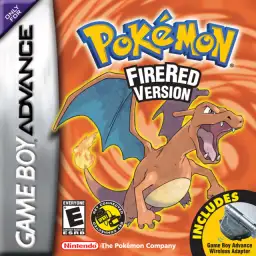
Pokémon FireRed
À propos du jeu
Pokémon FireRed is a classic GBA role-playing game developed by Game Freak and published by Nintendo in 2004. As an official Generation III remake of the original Pokémon Red for Game Boy, it pairs with Pokémon LeafGreen and perfectly inherits the classic Kanto-region adventure while upgrading graphics and gameplay for GBA hardware, remaining a top-tier nostalgic Pokémon game for retro game fans worldwide. The game returns to the iconic Kanto region and restores the complete original storyline. Players start their trainer journey from Pallet Town and choose one of the three classic starters, Bulbasaur, Charmander or Squirtle. Throughout the adventure, players challenge eight gym leaders, defeat the Elite Four, take on the Pokémon League and thwart the evil plans of Team Rocket to protect the peace of Kanto. While retaining all 151 original Generation I Pokémon, Pokémon FireRed upgrades pixel visuals, battle animations and scene details. It integrates complete Generation III mechanics including Pokémon Natures, Abilities and double battles, greatly enriching team building and strategic combat. The most highlight feature is the exclusive Sevii Islands post-game storyline, offering brand-new island maps, abundant side quests and end-game content that greatly extends gameplay duration. The game supports GBA wireless adapter functions, allowing players to trade and battle with Pokémon LeafGreen and Pokémon Emerald versions conveniently. The popular FireRed 386 hack enables players to catch all 386 Pokémon in single-player mode without multiplayer trading. Fully playable on all kinds of GBA emulators with smooth operation and balanced difficulty, Pokémon FireRed is still one of the most popular classic remakes in the Pokémon retro gaming community.
- Année de sortie
- 2004
- Développeur
- Joueurs
- 1 joueur
- Langues prises en charge
- 简体中文 · 繁體中文 · English · 日本語 · Français · Deutsch · Español · Italiano
FAQ
- Comment jouer à Pokémon FireRed ?
- Vous pouvez jouer à Pokémon FireRed en ligne et gratuitement directement dans votre navigateur sur 8BitGo. Aucun téléchargement ni installation d'émulateur n'est nécessaire.
- Sur quelle plateforme est Pokémon FireRed ?
- 8BitGo classe cette version dans la catégorie Game Boy Advance. Cela décrit son mode d'exécution ici et peut différer de la plateforme de sortie d'origine. Vous pouvez jouer directement dans le navigateur.
- Puis-je sauvegarder ma progression dans Pokémon FireRed ?
- La sauvegarde dépend du mode d'exécution du jeu. Les sauvegardes rapides et cloud ne sont disponibles que si la barre du lecteur affiche une commande de sauvegarde ; sinon, utilisez la sauvegarde intégrée au jeu.
- Pokémon FireRed fonctionne-t-il sur mobile ?
- Cela dépend du jeu. Consultez les commandes sur cette page : les jeux avec boutons à l'écran fonctionnent au tactile, tandis que les jeux au clavier et à la souris sont mieux adaptés à un ordinateur.
Commandes
Voici les touches par défaut. Cliquez sur l’icône de manette 🎮 dans la barre du lecteur, puis sur « Redéfinir les touches » pour ouvrir les réglages de commandes de l’émulateur (clavier et manette, enregistrés automatiquement). Les manettes sont détectées automatiquement. Sur téléphone, des boutons virtuels s’affichent.
Croix directionnelle
W S A D
A
K
B
J
L
Q
R
E
Start
Enter
Select
Shift
Sauvegarde rapide
F2
Chargement rapide
F4
Tu aimeras peut-être aussi
Même plateforme, même genre, ou même développeur
 GBA
GBAPokémon Emerald
 GBA
GBAPokémon Ruby
 GBA
GBAPokémon LeafGreen
 GBC
GBCPokémon Crystal Version
 NDS
NDSPokémon White 2
 NDS
NDSPokémon Black
 GBC
GBCPokémon Silver Version
 GBA
GBA